
Two simple layouts to start with
Centred Header and Minimal Clean are the plainest of our 8 simple layouts: one keeps everything in a single column, the other adds a quiet side column. Both use the same content, so you can switch between them in one click and keep whichever reads better. The previews show a fictional sample CV in each layout’s default colour scheme. All 18 layouts are compared on our CV templates page.
-
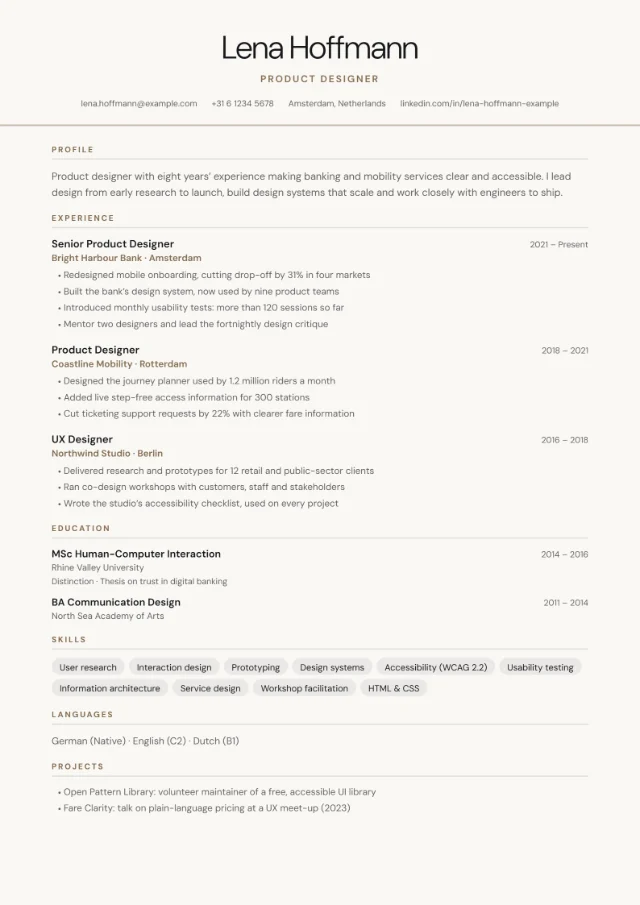
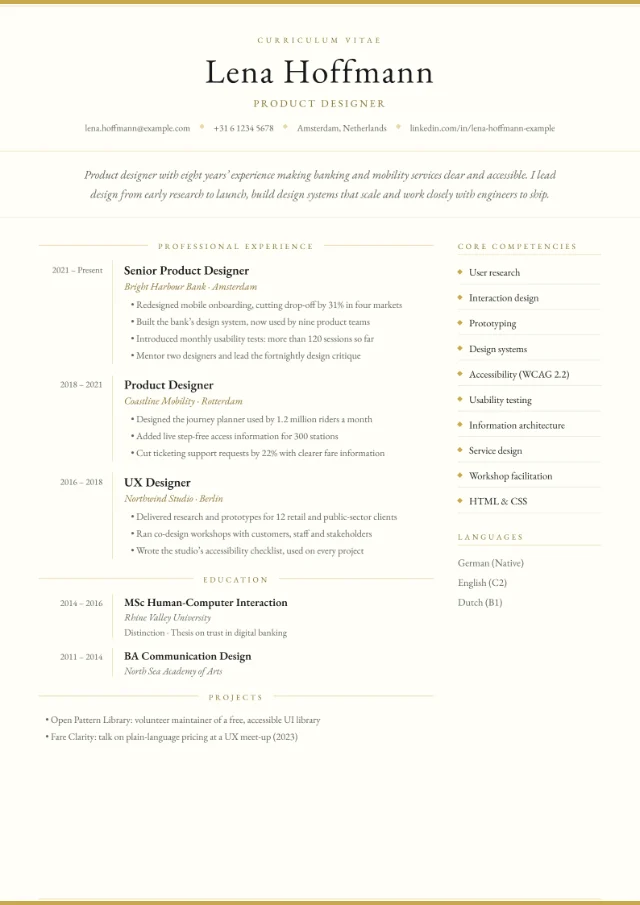
Centred Header
- Centred name, job title and contact row
- Single column: every section in reading order
- Skill tags and an inline list of languages
-
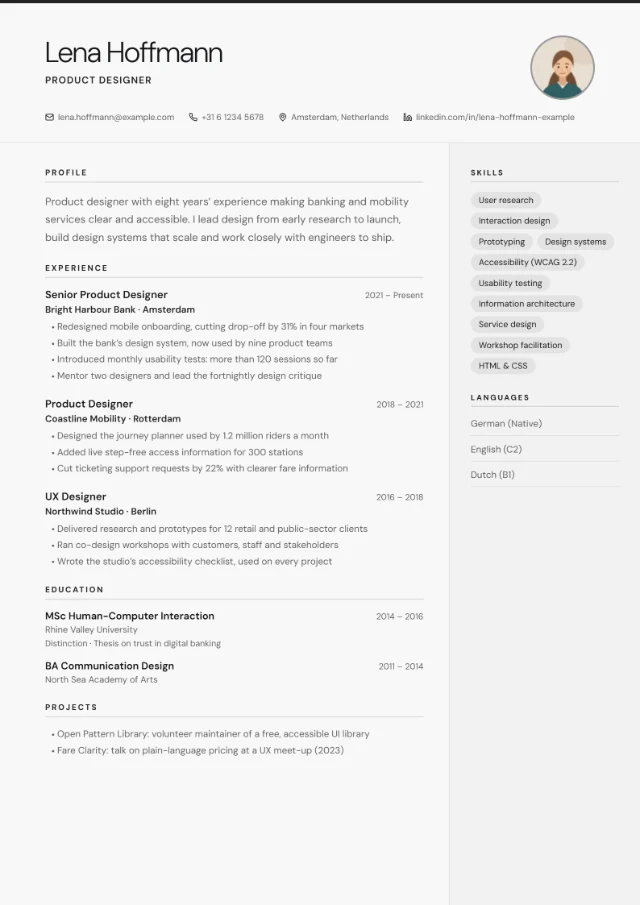 Photo slot
Minimal Clean
- Thin accent line along the top edge
- Optional round photo at the top right
- Contact row with small icons
- Skills and languages in a quiet side column
Who a simple CV is for
A simple layout is rarely the wrong choice. It’s the strongest option when:
- You’re applying through an online job portal. Many large employers use applicant tracking systems that read your CV before a person does. One column in reading order is the safest format for them.
- You work in a conservative sector. Law, finance, HR, the public sector and many professional services value a CV that looks sober and is quick to read.
- You’re early in your career or changing direction. A clean structure makes a shorter CV look deliberate rather than thin, and puts the focus on your skills and results.
- You don’t know who will read it first. When you can’t tell whether software or a person sees your CV first, simple is the safe default.
Choose Minimal Clean over Centred Header if you want a lighter, more modern look, for example for design, creative or modern office roles, or if you’d like to add a photo for a country where photos are common.
A simple layout isn’t the best fit when the look of your CV is part of the job, for example in graphic design or advertising. For those roles, see our creative CV templates, and keep a simple version for job portals.
What’s on the page
Both layouts present your details in the same order, so the reader always knows where to look:
- Header: your name, job title and a contact row with email, phone, location, LinkedIn and website. Anything you leave empty is simply left out.
- Profile: your personal statement, a few lines under the header.
- Experience: your roles, most recent first, each with its dates and bullet points.
- Education: degrees, courses and certifications.
- Skills and languages: skill tags and your languages, with a level if you add one, for example “German (C1)”. Centred Header lists them near the end; Minimal Clean puts them in its side column.
- Extra sections: anything else you add, such as projects, volunteering, certifications, publications or interests.
| Feature | Centred Header | Minimal Clean |
|---|---|---|
| Header | Centred name, job title and contact row | Name on the left, a thin accent line along the top edge and a contact row with small icons |
| Columns | One column, every section in reading order | A main column plus a quiet side column for skills and languages |
| Photo | No photo slot | Optional round photo at the top right |
| Default colour scheme | Linen | Snow |
| Online job portals | Safest choice | Usually fine |
Optional personal details
Date of birth, nationality, right to work and availability appear only if you fill them in. They’re common in some countries, such as Germany. For UK and Irish applications, leave them empty: the National Careers Service advises against including your age, date of birth, marital status or nationality.
When your CV runs onto page 2
The preview marks where each new page starts, so you can see where page 2 begins before you download. In the PDF, a section heading is never left alone at the foot of a page, and each role or course keeps its title together with its first bullet point.
Best colour schemes for a simple CV
A simple CV looks best in a light scheme. In both layouts the scheme colours the whole page, so a light page keeps the text crisp on screen and on paper, and the accent colour adds the personality.
- Snow#F8F8F8#222222
- Linen#FAF8F5#8B7355
- Slate#E8ECEF#334155
- Frost#EEF4FD#2563EB
- Snow: near-white with a black accent. The plainest option, and Minimal Clean’s default.
- Linen: a warm off-white with a soft brown accent. Centred Header’s default.
- Slate: a cool grey-blue page with a dark slate accent, for a slightly more formal feel.
- Frost: pale blue with a clear blue accent: fresh, but still calm.
Dark schemes work too, but on a full page they turn a simple CV into a bold one, with light text on a dark background. If you like a dark colour, try it in a sidebar layout such as Sidebar Left, which keeps the text on white.
Writing tips for a plain layout
With no design to lean on, every line has to earn its place. These habits make the biggest difference.
Open with a short personal statement
Write a few short lines that say who you are, what you’re good at and what you want next; the National Careers Service describes it as a few short lines. Tailor it to each job, and look at our personal statement examples if you’re stuck.
Payroll administrator with [X] years’ experience in multi-site retail. I run monthly payroll for [X] employees, keep records audit-ready and enjoy fixing the processes behind recurring errors. Looking for a senior payroll role with more responsibility for reporting.
Write 3 to 6 bullet points for each recent role
Lead with results, not duties. Start each bullet with a strong verb, say what you did and what changed, and add a number you can back up. Older roles need fewer bullets. Our list of CV action verbs helps you vary the openings.
- Cut invoice processing time by [X%] by moving approvals to a shared workflow.
- Trained [X] new starters on the booking system and wrote the guide the team still uses.
Keep your dates consistent
Both layouts give dates their own place, aligned to the right of each role and course. Pick one format and use it everywhere, for example “2021 – Present” or “Mar 2021 – Jun 2024”. If you have a gap, one honest line such as “Career break: caring for a family member” reads better than a blank.
Use plain headings
Readers and applicant tracking systems look for familiar headings such as Experience, Education and Skills. The layouts use these headings for you, in any of 7 languages. When you add an extra section, give it a plain title such as “Projects” or “Volunteering”.
Cut words, not the text size
If you run slightly over a page, remove older or less relevant lines before you make the text smaller. Our guide to how long a CV should be helps you decide between one page and two.
Simple layouts and job portals
Every PDF includes real, selectable text that applicant tracking systems can read. Centred Header goes one step further for online portals: everything sits in a single column, so software reads it in the same order as a person does.
Minimal Clean puts your skills and languages in a side column. That’s usually fine, but some systems read side-by-side columns in a mixed-up order, so if you’re applying through a strict portal, use Centred Header. No layout can guarantee how a particular system reads a CV; our guide to an ATS-friendly CV explains what these systems do with your file.
Similar layouts
Want something simple with a different character? These layouts share the same clean approach, and your content carries over when you switch.
-
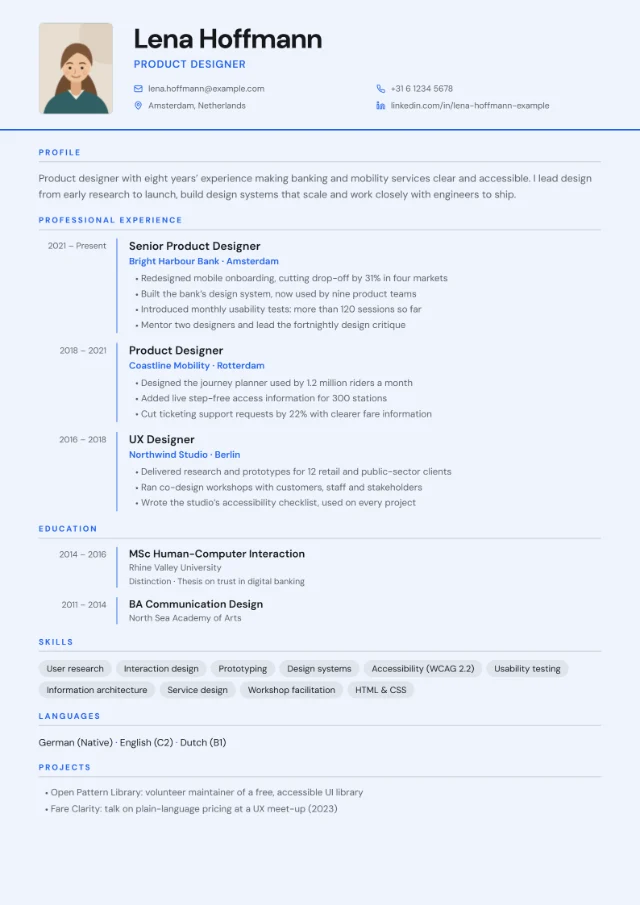 Photo slot
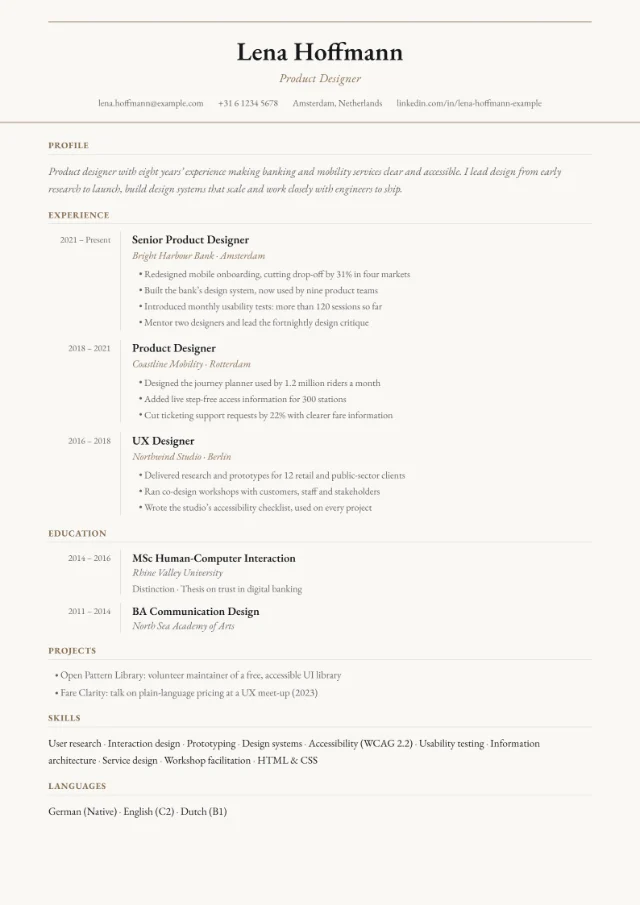
FAQ
Is a simple CV boring?
Not if the content is strong. A simple layout makes your results easy to find, which is what a busy reader wants. The personality comes from what you write and from small choices such as the accent colour.
Should a simple CV be one page or two?
One page is fine early in your career; with more experience, two pages is normal. The layout doesn’t limit you: the preview shows where each page starts, and the PDF keeps every heading with the text that follows it.
Does a simple CV work for creative roles?
Often, yes, especially for online applications. A simple CV with a strong portfolio link lets the work do the visual talking. If you want the CV itself to show your style, try Minimal Clean or one of the creative layouts.
Can I add a photo to a simple CV?
Minimal Clean has an optional round photo at the top right. Centred Header has no photo slot, so a photo you’ve added isn’t shown. For UK and Irish applications, leave the photo off.
Can I switch to another layout later?
Yes, at any time. Your content stays the same when you switch, so you can compare Centred Header and Minimal Clean with your own CV and keep the one you prefer.