
How the Executive layout works
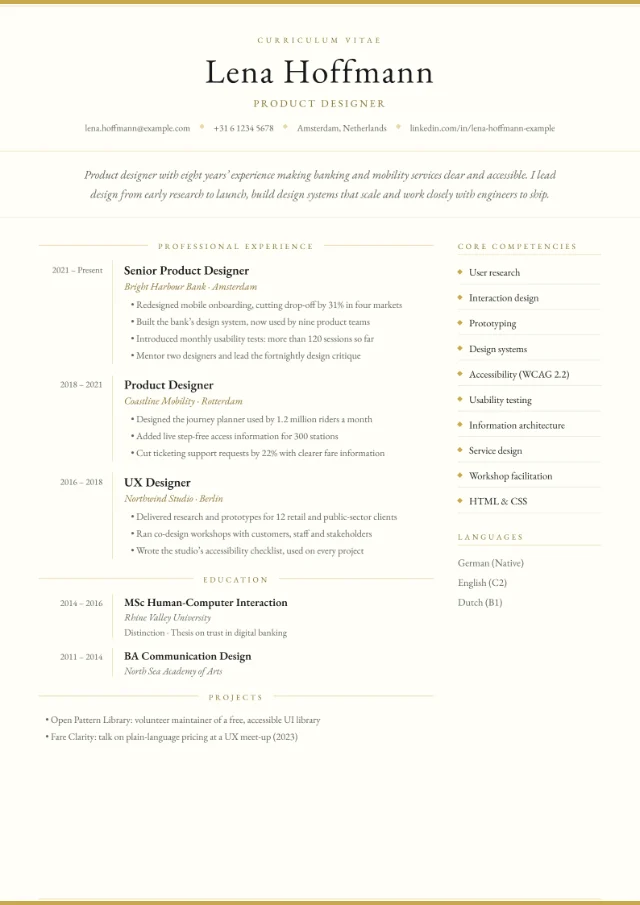
Everything in the layout is there to make a long career quick to scan. Here is what each part of the page shows, and what to put there:
| Part of the page | What it shows | What to put there |
|---|---|---|
| Masthead | A small “Curriculum Vitae” label, your name, job title and a contact row with diamond separators | Your current or target title, such as “Chief Financial Officer”, and only the contact details you want to share |
| Profile | Your profile in italics, across the full width under the masthead | 4 to 6 lines on your scope and results (see below) |
| Professional experience | Each role with its dates in a column on the left and the organisation in italics under the job title | Recent roles in full, older roles in brief |
| Core competencies | A side column listing your skills with small diamond markers, followed by your languages | 8 to 10 competencies this role needs, such as “Post-merger integration” |
| Education and extra sections | Education with the same dates column, then any extra sections you add | Degrees, executive education, board roles or an “Earlier career” summary |
The Garamond serif and ruled ornaments give the page a formal, traditional feel, which suits senior leaders, directors and other senior appointments. LinkedIn and your website appear in the contact row if you add them. You can compare it with the other 17 layouts on our CV templates page.
What a senior CV must show
At senior level, readers look for two things: how big your remit was, and what changed because of you. Make both easy to find in every role.
Scope
Say what you were responsible for, in concrete terms:
- the size of your team, and how many people reported to you directly;
- your budget, P&L or revenue responsibility;
- the markets, sites or countries you covered;
- who you reported to, for example the chief executive or the board.
Outcomes
Then show results: growth, savings, turnarounds, launches, risks reduced, teams built. Use only figures you can back up in an interview, and round them honestly. If a number is confidential, describe the change instead, for example “returned the division to profit”.
Managing Director, [Company] · [Year] – Present
- Lead a business of [X] people in [X] countries, reporting to the group board.
- Grew revenue from £[X]m to £[X]m in [X] years while improving the operating margin by [X] points.
- Merged two regional divisions into one operating model, saving £[X]m a year.
Start your bullet points with strong verbs such as led, grew, restructured or negotiated; our list of CV action verbs has many more. The AI coach can help you tighten these lines. It’s instructed never to invent employers, numbers or qualifications, so it leaves placeholders such as [X%] for you to fill in with real figures.
Writing an executive profile
In the Executive layout the profile sits right under your name, so it’s the first thing a reader takes in. Aim for 4 to 6 lines that cover:
- who you are: your level, function and sector;
- the scale you work at;
- 2 or 3 results or strengths that set you apart;
- what you’re looking for next, if it isn’t obvious.
Finance director with [X] years in manufacturing and logistics, most recently responsible for a £[X]m business across [X] countries. I build finance teams the business trusts, lead acquisitions from deal to integration and cut operating costs by [X%] while protecting investment. Looking for a CFO role in a growing, privately owned group.
Skip strings of adjectives such as “dynamic, results-driven leader”: the results should make that point for you. Our personal statement examples show more ways to open.
Two pages or three?
Two pages is the norm, even for senior candidates. EURES guidance for Germany, France, Spain and the Netherlands puts the limit at two pages. For UK applications, Prospects (2025) also recommends no more than two A4 pages, while noting that academic CVs and very long careers may need more. To keep a long career to two pages:
- give your last 10 to 15 years the most space, with 3 to 6 bullet points for each recent role;
- summarise earlier roles in an extra section called “Earlier career”, one line each with the job title, organisation and years;
- leave out school results and early training once you have a degree or senior experience;
- keep the competencies list to the skills this role needs.
A third page can be worth it for academic and clinical leaders, or for board-level candidates with a long list of appointments or publications. If you need one, make sure page 1 still tells the whole story. Our guide to how long a CV should be goes into more detail.
The preview marks where each page starts. In the PDF, a section heading never sits alone at the foot of a page, and each role keeps its title together with its first bullet point.
Board and non-executive roles
Non-executive directorships, trustee roles and advisory boards show judgement and standing, so give them a place of their own. The Executive layout has no fixed board section, but you can add an extra section with your own title, such as “Board and non-executive roles”, with one appointment per line.
Board and non-executive roles
- Non-executive director and chair of the audit committee, [Organisation], [Year] – Present
- Trustee, [Charity], [Year] – [Year]
- Member of the advisory board, [Organisation], [Year] – Present
If a board role is a major part of your current work, list it under Professional experience instead, with a short line on the remit.
Colour schemes for an executive CV
The Executive layout colours the whole page, so the scheme sets the tone. Light schemes keep it formal and print well:
- Ivory#FFFFF8#C9A84C
- Snow#F8F8F8#222222
- Linen#FAF8F5#8B7355
- Slate#E8ECEF#334155
- Ivory, the default: a warm white page with gold rules and ornaments.
- Snow: near-white with black accents, the most understated choice.
- Linen: a warm off-white with soft brown accents.
- Slate: a cool grey-blue page with dark slate accents.
A dark scheme such as Navy turns the whole page dark blue with light text. It looks striking on screen, but for a formal CV that may well be printed, a light scheme is the safer choice.
Executive CVs and job portals
Every PDF includes real, selectable text that applicant tracking systems can read. The Executive layout puts your competencies in a side column next to your experience. That’s usually fine for job portals, but some systems read side-by-side columns in a mixed-up order.
If you’re applying through a strict online portal, switch to Centred Header: the same content in a single column. Our guide to an ATS-friendly CV explains what these systems do with your file.
Similar layouts
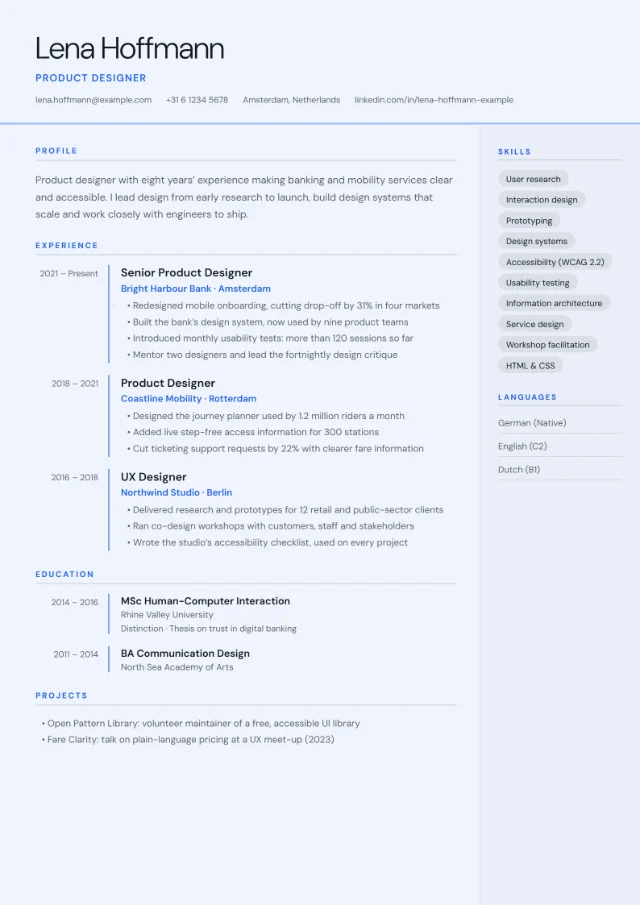
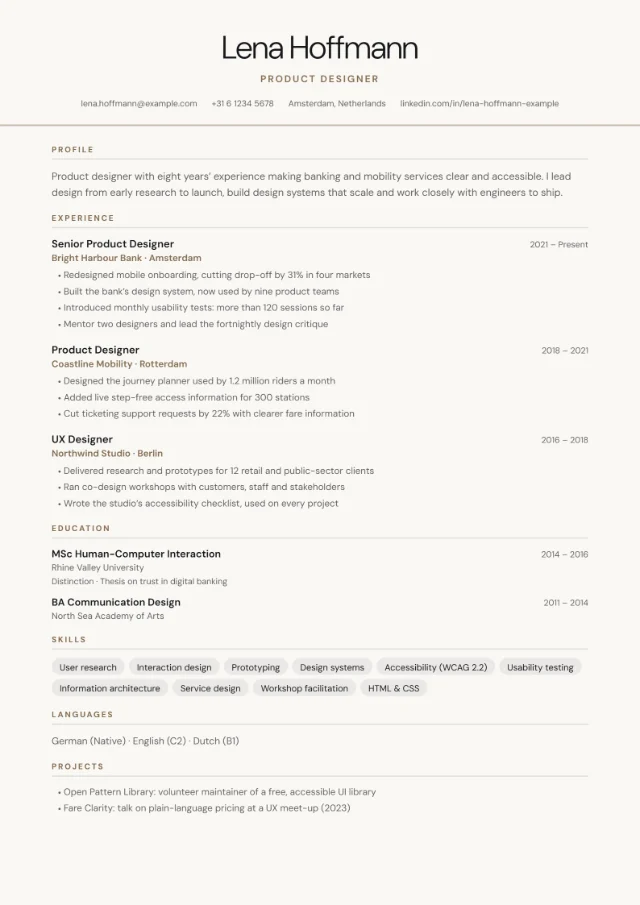
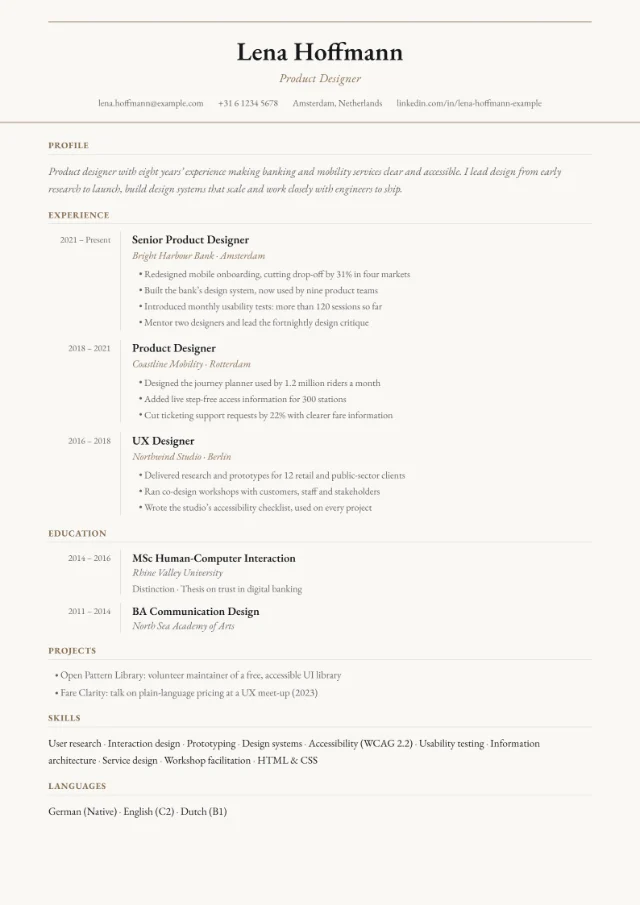
Prefer a different look for a senior CV? These layouts suit long careers too, and your content carries over when you switch.
FAQ
Should a director’s CV have a photo?
Follow the country’s convention, not your seniority: leave it off in the UK and Ireland, and consider one for Germany, Austria or Switzerland. The Executive layout has no photo slot; European Classic and Photo Header do. Our guide to photos on a CV explains the conventions.
Do I need to list every role I’ve had?
No. Your CV is a summary, not a complete record. Describe the last 10 to 15 years in detail, then summarise earlier roles in one line each or leave out those that add nothing for this application. Be ready to talk about any gaps.
Should I include my salary?
No. Leave your current and expected salary off your CV. If an application form or a recruiter asks, answer there, where you can explain the whole package.
Where do non-executive roles go?
Add an extra section with your own title, such as “Board and non-executive roles”, and list one appointment per line. If a board role is a big part of your current work, put it under Professional experience instead.
Is the Executive layout right for a first management role?
It works, but it’s designed for long careers. For a shorter CV, Centred Header or Timeline may suit you better. You can switch at any time and compare.