CV templates · A4 and US Letter
CV templates for UK and European job applications
18 layouts, from plain single-column CVs to bold, design-led ones. See what each one really looks like, who it suits and how safe it is for online job portals, then try it with the CV you already have.
 By the YourCVy teamLast updated
Previews are free. The PDF download costs €5 once per CV: no subscription, no account.
Choose by situation
Start with where you’re applying and who will read your CV first. Each “Use … with my CV” link takes you to the upload with that layout already selected, and you can switch layouts at any time without losing your content.
Applying through a large employer’s online job portal
Layouts to try: Centred Header, Academic and European Classic
One column in reading order with standard headings: the safest choice when software reads your CV before a person does.
Law, finance, HR or another conservative sector
Layouts to try: Centred Header and Academic
Calm and formal, with nothing that distracts from your experience.
Modern office roles where a little design is welcome
Layouts to try: Minimal Clean
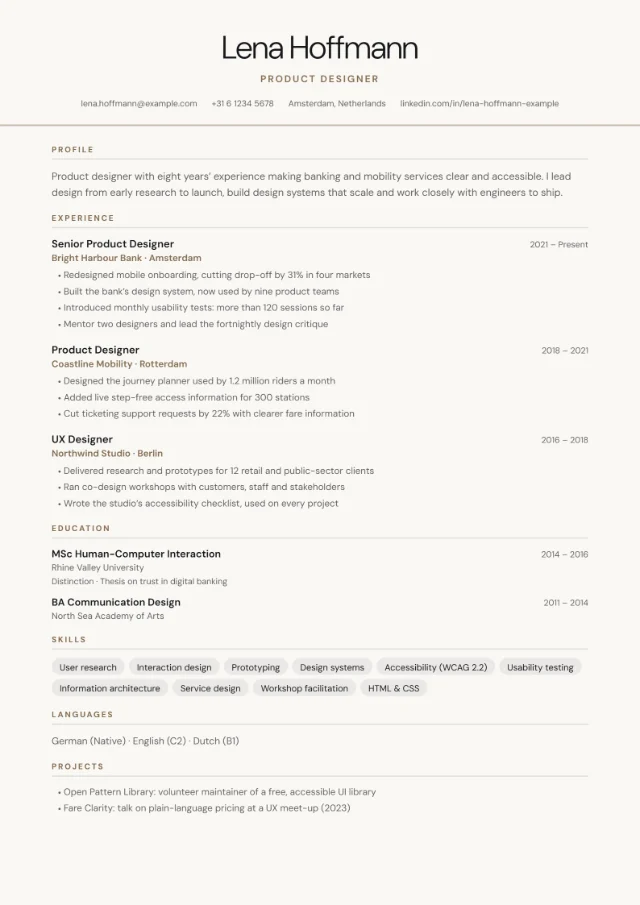
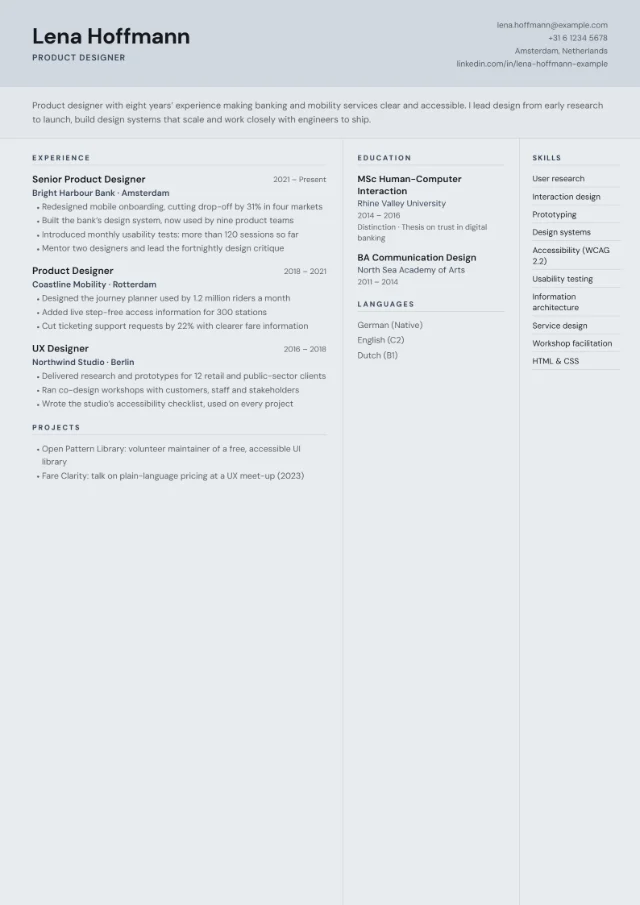
Light type and plenty of white space, with skills in a quiet side column and room for an optional photo.
An experienced career you want to show as a progression
Layouts to try: Timeline
Dates sit in their own column beside an accent rule, so the reader can follow your career at a glance.
Director, head of department or another senior appointment
Layouts to try: Executive
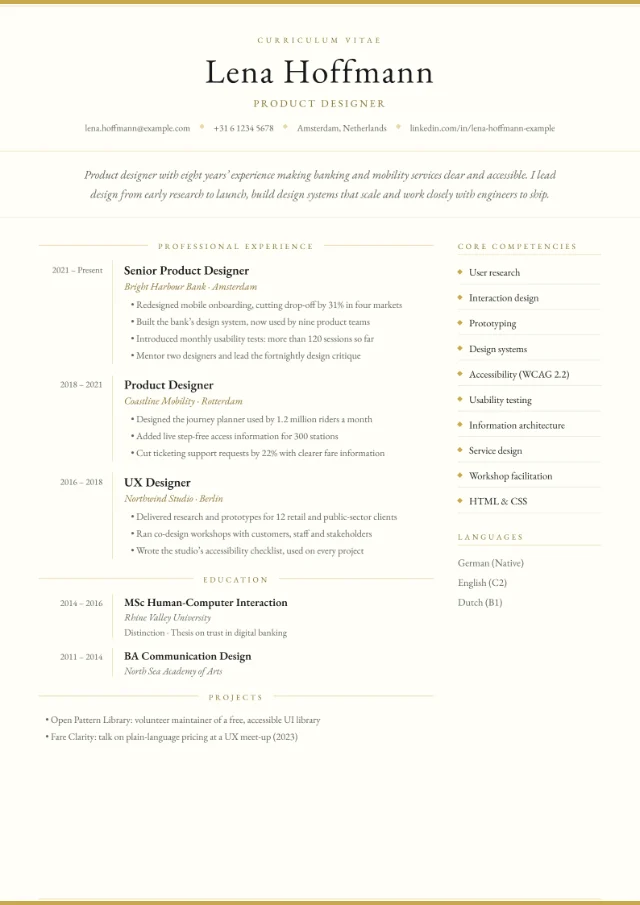
Garamond serif type, a centred masthead and a core competencies list beside your career history.
Researcher, lecturer, scientist or recent graduate
Layouts to try: Academic
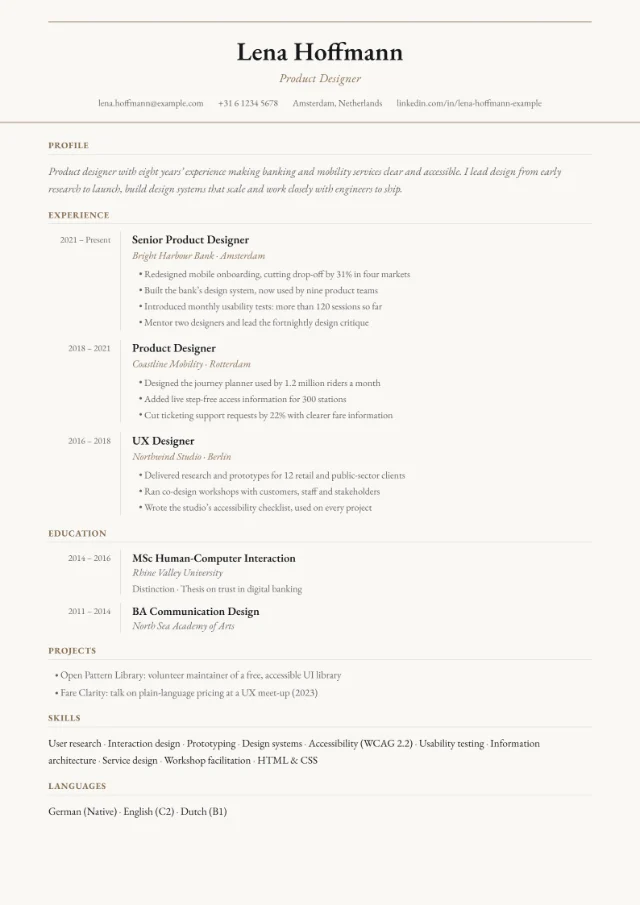
Double rules, serif type and a dates column in a single column. Add publications or projects as extra sections.
Germany, Austria, Switzerland and other countries where a photo is common
Layouts to try: European Classic and Photo Header
A proper photo slot. European Classic also follows the traditional European order, with a dates column and optional personal details.
Design, media or marketing roles, sent to a person
Layouts to try: Creative Block and Infographic
Bold headers and visual details for roles where the look of your CV is part of the pitch.
Journalism, publishing, communications or PR
Layouts to try: Magazine
Editorial style with a huge serif name and your profile set as a pull quote.
Software, DevOps or data roles at tech companies
Layouts to try: Tech Terminal and Sidebar Right
Tech Terminal is for sending to a person; Sidebar Right is the calmer choice for tech, finance and consulting portals.
A lot of experience to fit on one or two pages
Layouts to try: Compact Dense and Two Column
Compact Dense uses smaller type and three columns; Two Column runs your experience across two columns. Both fit more on a page than any other layout.
Sales, events, hospitality and other client-facing roles
Layouts to try: Badge Style and Photo Header
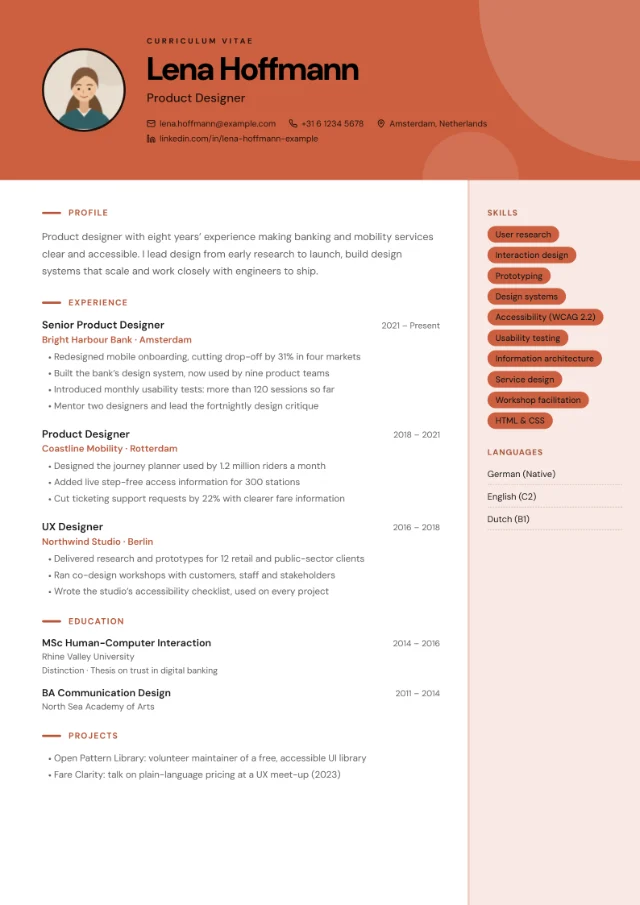
A confident colour header with room for a photo beside your name.
Product roles, start-ups and modern tech companies
Layouts to try: Card Layout
Every section and every role in its own rounded card.
Professional and managerial roles in most industries
Layouts to try: Sidebar Left and Sidebar Right
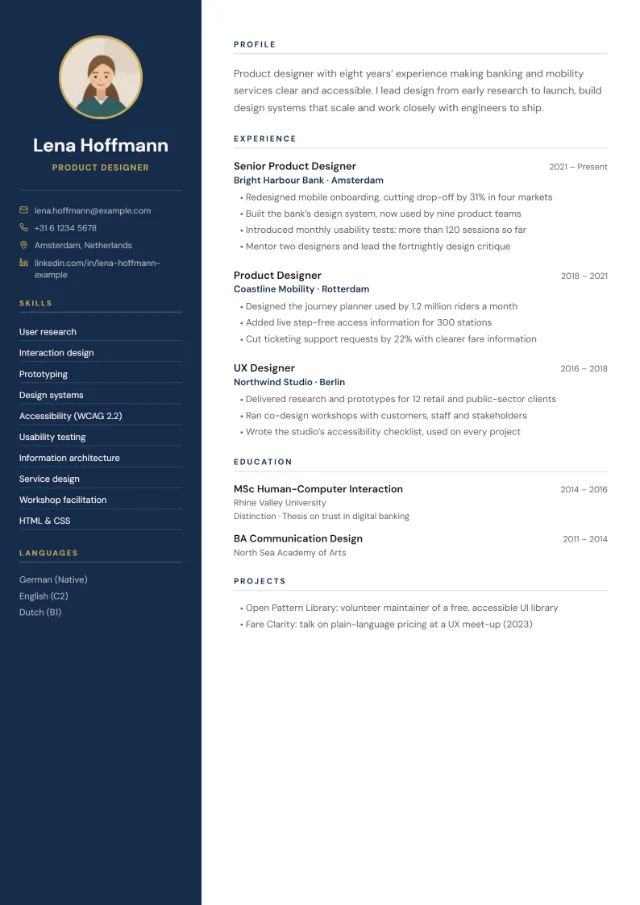
A full-height colour panel for contact details, skills and languages, next to a wide column for your experience.
All 18 layouts
The layouts come in the same three groups as the filter in the builder: Simple, Sidebar and Design-led. Every preview shows the same fictional CV in the layout’s default colour scheme, so you can compare them fairly. Whichever you choose, your LinkedIn profile, website and any extra sections appear when you add them.
Simple layouts (8)
Clear structure, standard headings and nothing in the way. Centred Header, Academic and European Classic keep everything in a single column, the safest choice for online job portals. The other five add a side column or extra columns and are usually fine for portals; of these, Compact Dense and Two Column fit the most on a page. Read more about this style on our simple CV template page, or see the executive CV template for senior roles.
-
-
-
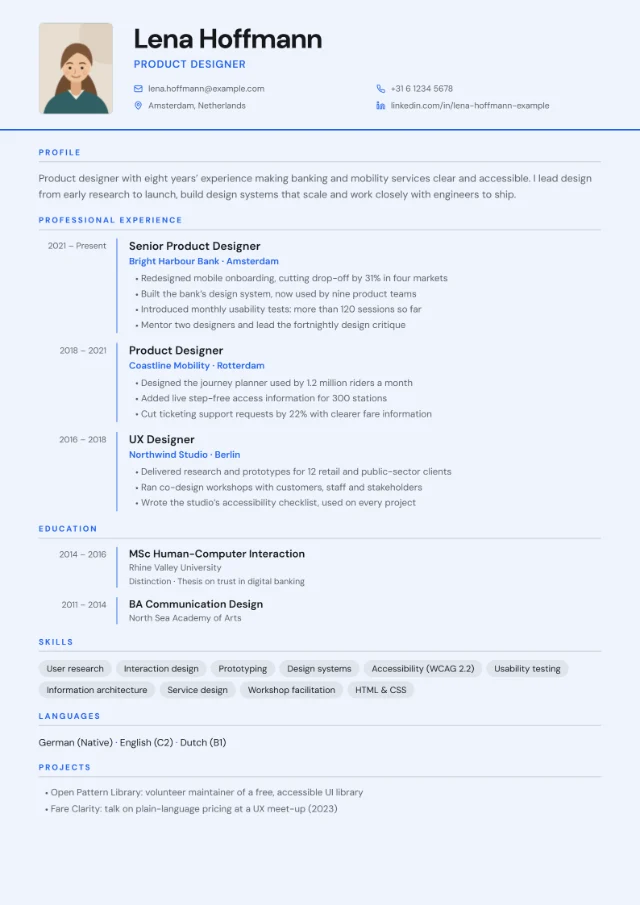 Photo slot
 -
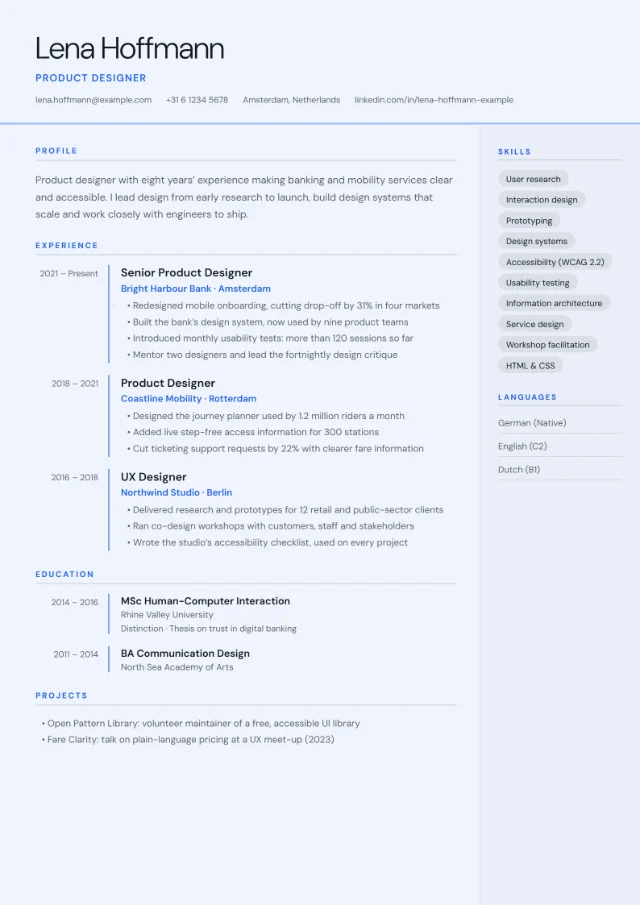
-
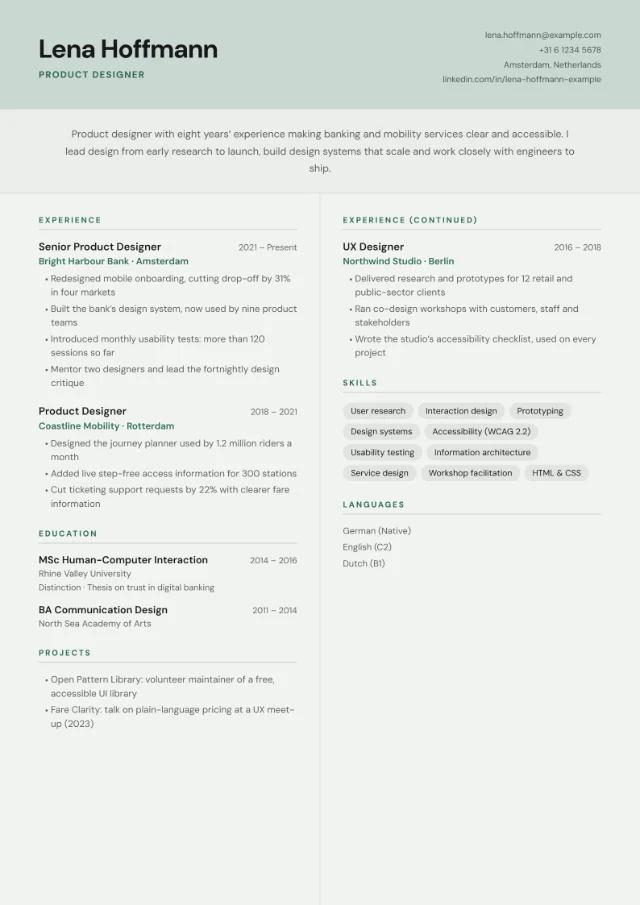
-
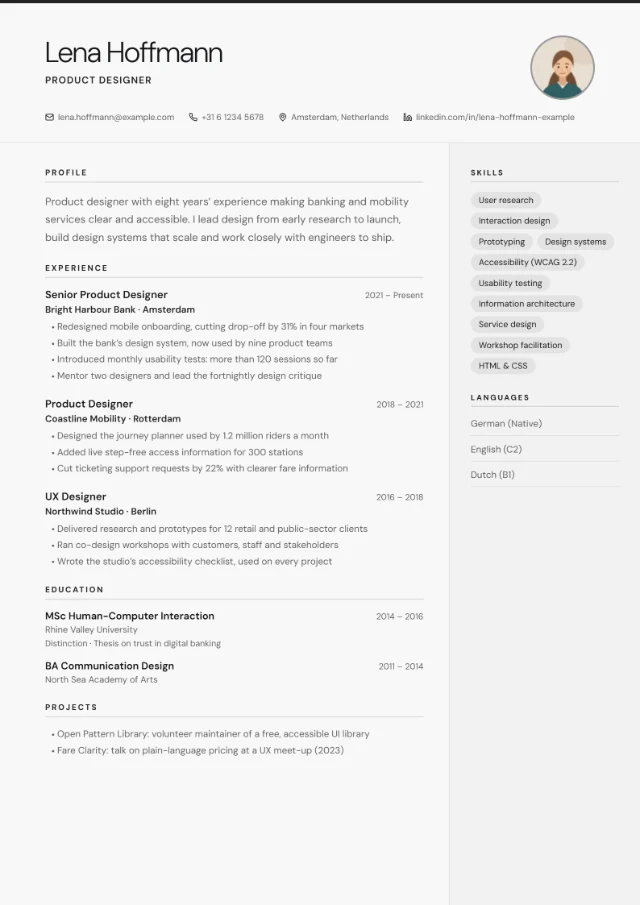 Photo slot
 -
-
Sidebar layouts (3)
A full-height colour panel holds your contact details, skills and languages, next to a wide column for your experience. All three have an optional photo slot, and your main text stays on a light background with most colour schemes. They’re usually fine for job portals, but some systems read side-by-side columns in a mixed-up order, so for a strict portal a single-column layout is the safer bet.
-
Photo slot
-
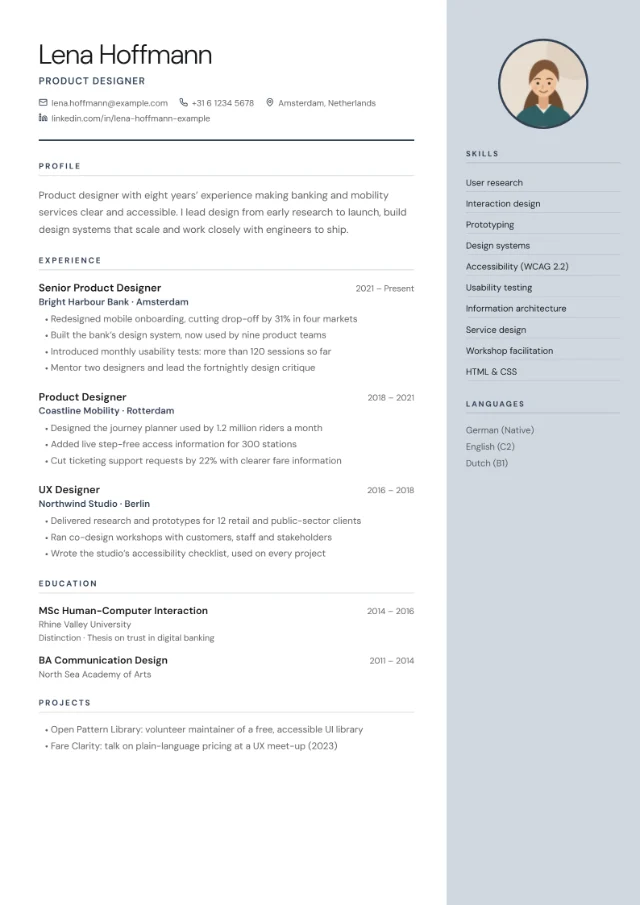 Photo slot
 -
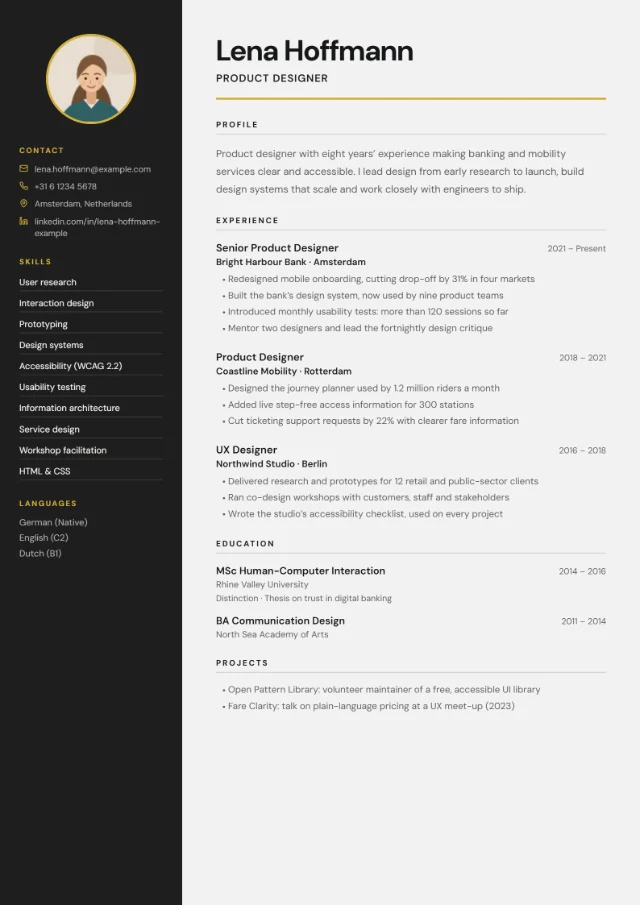 Photo slot
Design-led layouts (7)
For roles where the look of your CV is part of the pitch. Creative Block, Tech Terminal, Infographic and Card Layout are design-first: send them to a person by email or bring them to an interview, and use a simple layout for online portals. Photo Header, Magazine and Badge Style are calmer and usually fine for portals. Our creative CV template page explains when a bold CV helps and when it hurts, and the layouts with a photo slot are compared on CV templates with a photo.
-
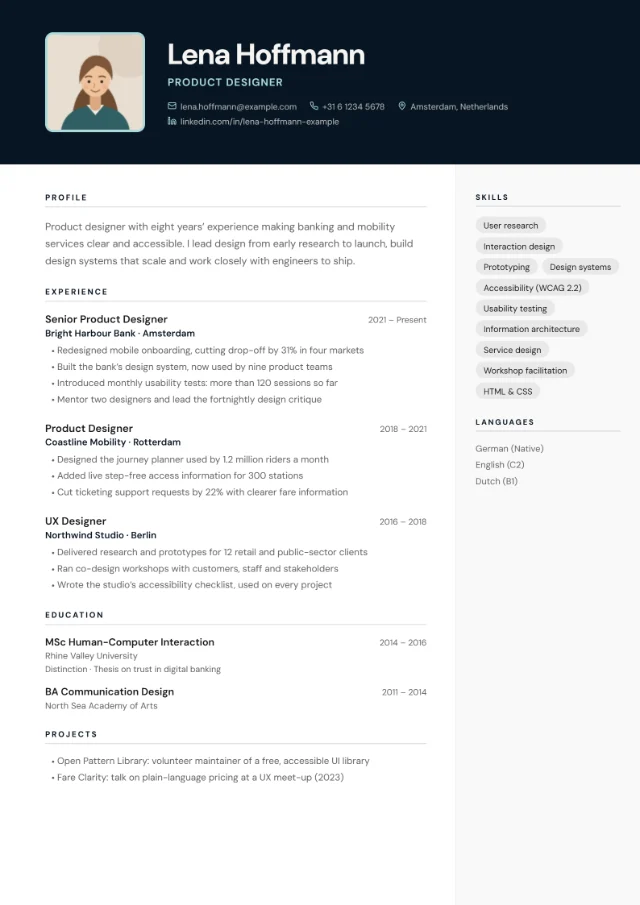 Photo slot
 -
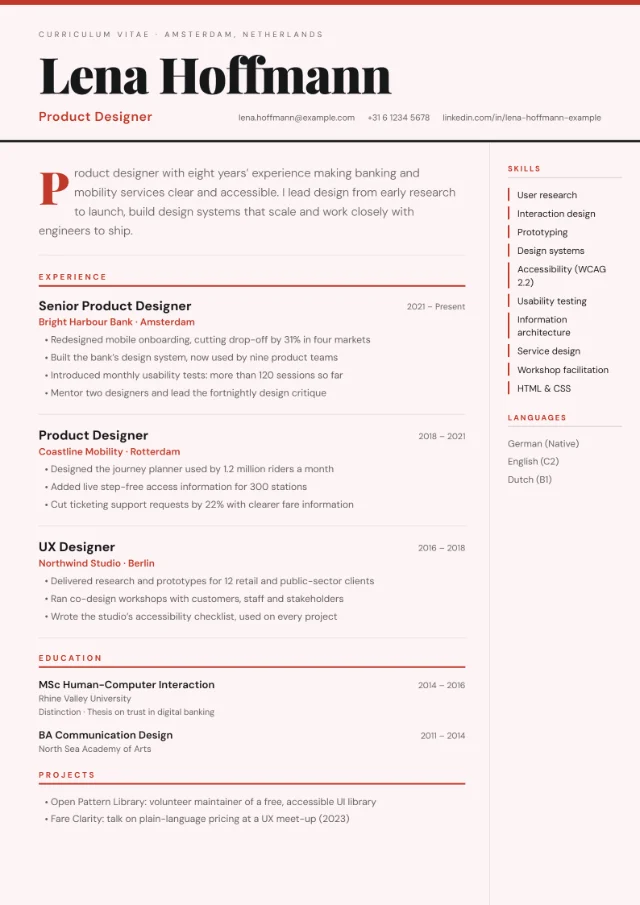
-
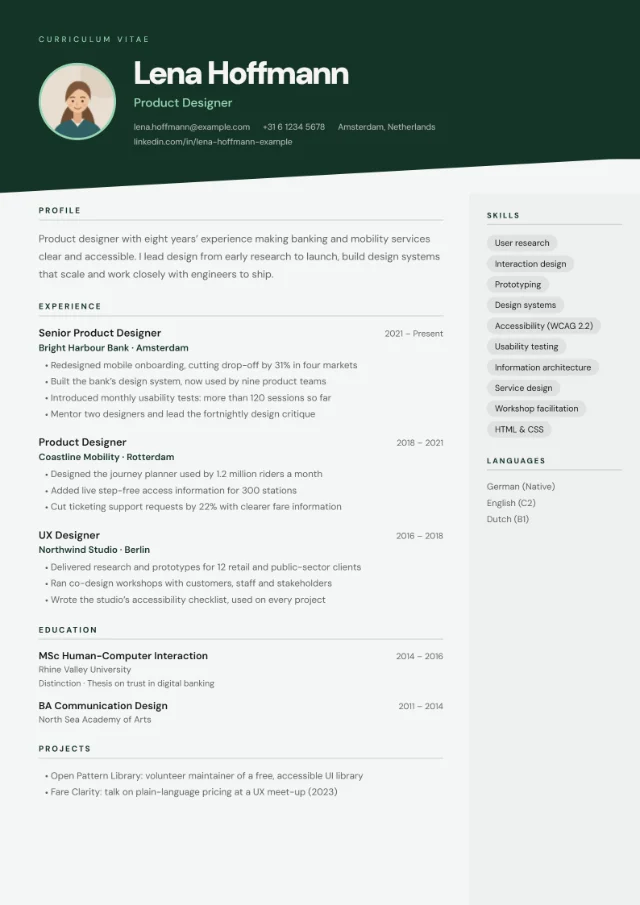 Photo slot
 -
Photo slot
-
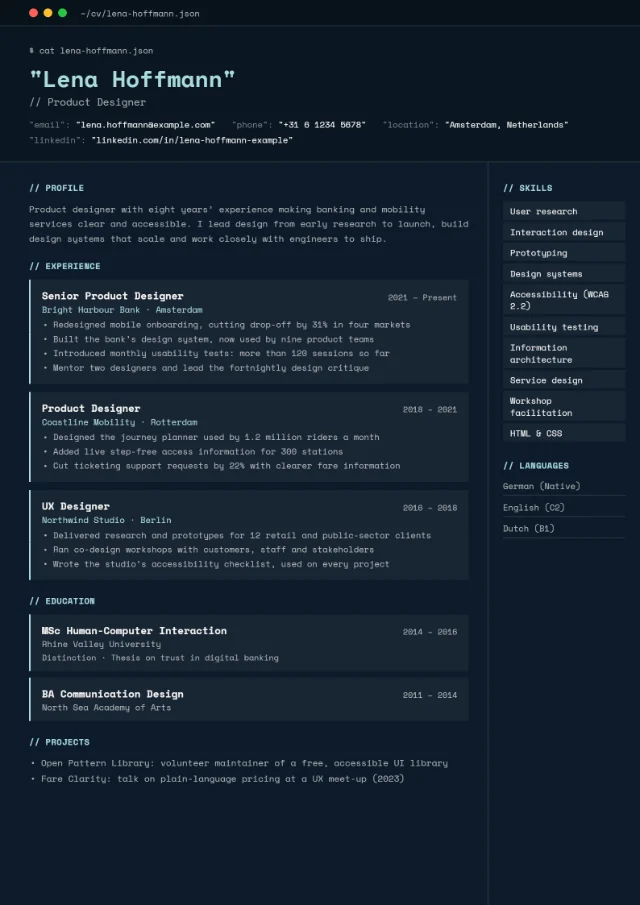
-
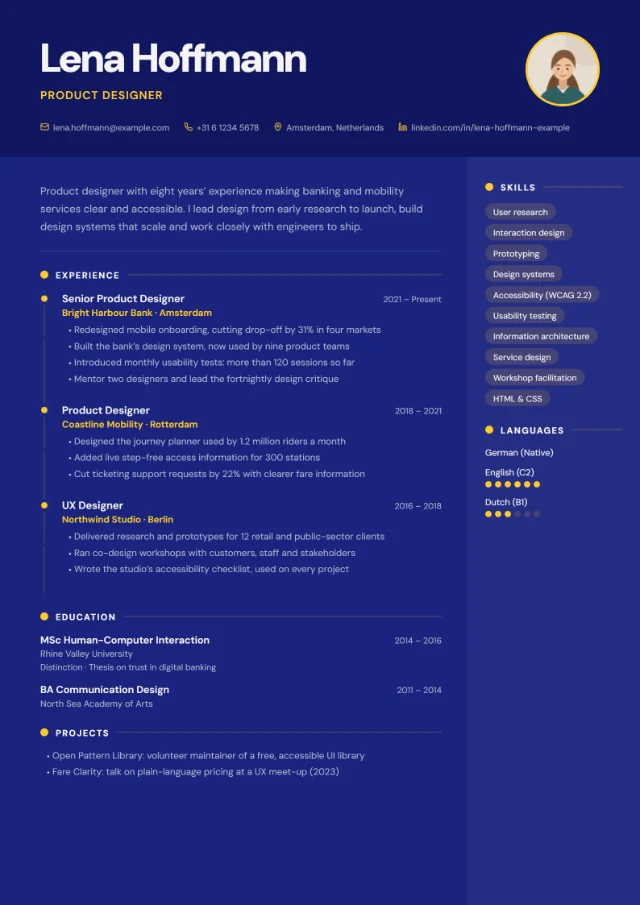 Photo slot
 -
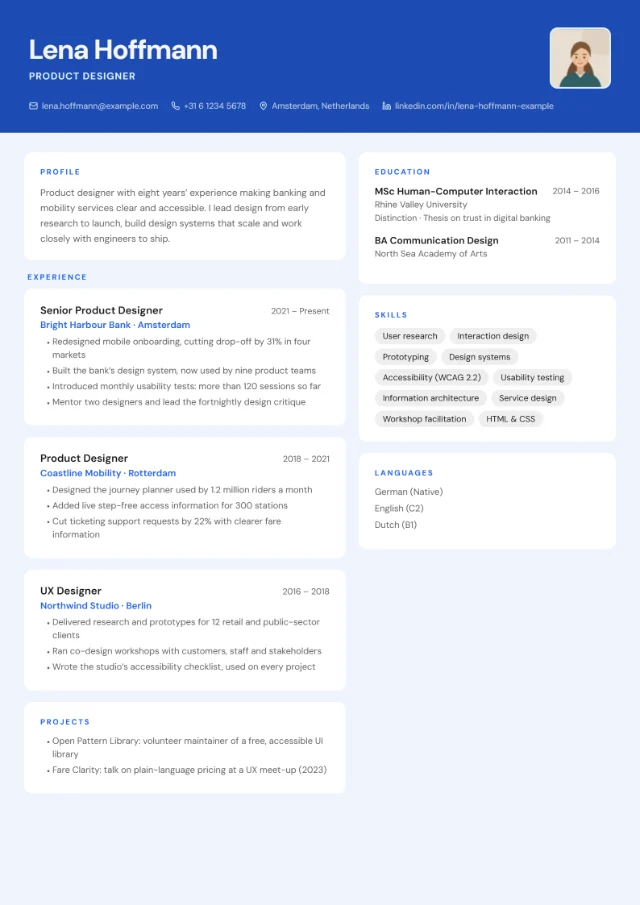 Photo slot
Colour schemes
Every layout works with all 24 colour schemes, so there are 432 combinations to try. Each scheme is a set of three colours: a page colour, a panel colour for sidebars and headers, and an accent for headings, rules and tags.
Where the colour goes depends on the layout. Sidebar Left, Sidebar Right, Photo Header and Creative Block put it into a sidebar or header and always keep your main text on white. Split Screen and Badge Style keep the text on a light background with every scheme except Bauhaus and Terracotta. In the other 11 layouts the scheme colours the whole page, so a dark scheme means light text on a dark page (Card Layout keeps its cards white unless you pick a dark scheme, Neon or Violet). Tech Terminal is always dark, whichever scheme you pick.
For most applications, choose a light or mid-tone scheme: it prints cleanly, reads well on screen and suits any sector. Keep dark and bold schemes for design-led roles, or pair them with a layout that keeps the text on a light background.
Each swatch shows the panel colour on the left, the accent and the page colour, followed by the page and accent colour codes.
Light (6)
Near-white pages with one accent colour. The safest choice for any application, and they print cleanly.
- Snow#F8F8F8#222222
- Linen#FAF8F5#8B7355
- Frost#EEF4FD#2563EB
- Sage#F0F4F0#2D6A4F
- Blush#FDF4F4#C0392B
- Ivory#FFFFF8#C9A84C
Mid-tone (4)
A soft tint on the page, a little warmer or cooler than white. Still light enough to print and read comfortably.
- Slate#E8ECEF#334155
- Clay#EDE8DC#7C5C3A
- Dusk#E8E4F0#5B4B8A
- Seafoam#E4F2F0#0D7377
Dark (10)
Deep colours with light text. They look smartest in layouts that keep the text on a light background, such as Sidebar Left or Split Screen.
- Navy#1E3A5F#C9A84C
- Forest#1B4332#95D5B2
- Charcoal#2C2C2C#D4AF37
- Cobalt#1A237E#FFCA28
- Burgundy#4A0E0E#D4AF37
- Midnight#0D1B2A#A8DADC
- Obsidian#0A0A0A#C9A84C
- Dynasty#1A0A2E#D4AF37
- Noir#111111#E8E8E8
- Crimson#7B0D1E#F5E6D3
Bold (4)
Strong, saturated colours for design, media and marketing CVs. Check the result on screen and on paper before you send it.
- Bauhaus#E8D44D#1A1A1A
- Terracotta#E07A5F#F4F1DE
- Neon#0D0D0D#39FF14
- Violet#2C0F3E#F7C948
Do these templates work with applicant tracking systems?
Every PDF includes real, selectable text that applicant tracking systems can read. How well a system follows a layout is a different question, so here is an honest guide by layout type.
Safest for job portals
Centred Header, Academic and European Classic.
Everything sits in one column, in reading order, under standard section headings. Software reads it from top to bottom, the same way a person does. Choose one of these when you apply through a large employer’s online portal.
Usually fine
Sidebar Left, Sidebar Right, Timeline, Two Column, Minimal Clean, Photo Header, Executive, Compact Dense, Magazine, Split Screen and Badge Style.
These add a sidebar, a dates column or extra columns. A clean layout like this usually comes through well, but some systems read side-by-side columns in a mixed-up order. They’re a good choice when a person will see your CV early, for example through a recruiter or by email.
Best sent to a person
Creative Block, Tech Terminal, Infographic and Card Layout.
Colour blocks, cards, timelines and terminal styling are made for human readers. The text is still selectable, but the reading order is harder for software to follow. Send these by email or share them in person, and keep a simple version for portals.
No layout can guarantee how a particular system reads a CV, and some portals ask you to type your details into a form anyway. If a job advert asks for a specific format, follow it. Our guide to writing an ATS-friendly CV explains what these systems do with your file.
Photo or no photo?
10 layouts have an optional photo slot: Sidebar Left, Sidebar Right, Minimal Clean, Photo Header, Creative Block, Infographic, Card Layout, Split Screen, Badge Style and European Classic. In the other 8, a photo you’ve added is simply not shown, so you can switch to one of them for applications that should go without.
Whether to use a photo depends on the country. In Germany a photo isn’t mandatory, but the Bundesagentur für Arbeit (2026) says most employers still expect one. For Ireland, EURES advises adding a photo only if the application form asks for it. For the UK, Prospects (2025) says you don’t need one unless you’re applying for acting or modelling work.
Our guide Should you put a photo on your CV? goes through the conventions country by country.
A quick rule of thumb
- UK and Ireland: leave the photo off.
- Germany, Austria and Switzerland: a recent, professional photo is common.
- Anywhere else: follow the job advert. If it says nothing and you’re unsure, leave it off.
Use a template with the CV you already have
No retyping, no account and no subscription.
-
Upload your CV
A PDF or Word (.docx) file up to 10 MB. Old .doc files aren’t supported: save them as .docx or PDF first.
-
Check the draft
AI reads your CV into an editable draft. Check every detail, because AI can make mistakes. The AI coach rewrites wording only when you ask.
-
Pick a layout and download
Preview any layout and colour scheme for free. When you’re happy, download a print-ready PDF with real, selectable text, in A4 or US Letter, for €5 once per CV.
Frequently asked questions
Are the templates free?
They’re free to try. Uploading your CV, the AI draft, the editor, the AI coach and previews in every layout cost nothing. The PDF download costs €5 once per CV, with no subscription and no account. Payment is handled by Stripe, and there’s a 14-day money-back guarantee: if you’re not happy with your PDF, email hello@yourcvy.com within 14 days of purchase and we’ll refund you in full.
Can I switch layouts after uploading my CV?
Yes, as often as you like. Your content stays the same when you change the layout or colour scheme. You can also adjust the font, text size, spacing and paper size.
A4 or US Letter?
Both are available. A4 is the standard paper size in the UK, Ireland and the rest of Europe; choose US Letter for applications in the US and Canada. Set the paper size in the builder before you download.
Can I download my CV as a Word file?
No. YourCVy creates PDFs only. Every PDF includes real, selectable text that applicant tracking systems can read. If an employer asks for a Word document, copy the text from your PDF (it’s real, selectable text) into Word, or send your original .docx if it’s still up to date.
How many pages will my CV be?
That depends on how much you write, not on the template. The preview marks where each new page starts, so you can see straight away if you’ve run onto a second page. Compact Dense and Two Column fit the most onto a page.
Can the section headings be in another language?
Yes. In every layout, the headings can be set to English, German, French, Spanish, Italian, Dutch or Portuguese. The website and the builder are in English, and the AI coach replies in the language you write in.
Do you keep my CV?
No. YourCVy has no database and doesn’t save your CV on its servers. Your draft stays in your browser tab and disappears when you close it. To read your CV and run the coach, its content is sent over HTTPS to Anthropic’s API. The details are in our privacy policy.
Ready when you are
Try any layout with your own CV
Upload the CV you already have, compare layouts and colour schemes for free, and pay €5 only when you download the PDF.