
When a creative CV helps, and when it hurts
A creative layout works as a small design sample, but only when a person sees it. Use one when:
- you send your CV straight to a person, by email or through a contact;
- you apply to a studio, an agency or a smaller company where the hiring manager reads every CV;
- you bring printed copies to an interview, a portfolio review or a careers fair;
- the role is about visual communication: design, art direction, content, brand or marketing.
Choose a plain layout instead when:
- you apply through a large employer’s online job portal, where software reads your CV first;
- the sector is conservative, such as law, finance or the public sector;
- the job advert asks for a simple or text-only CV.
Not sure? Prepare both: a creative PDF for people and a simple version for portals. It’s the same content in two layouts.
The creative layouts
Six layouts with a bold character, shown with a fictional sample CV in their default colour schemes. Each card includes an honest note on job portals.
-
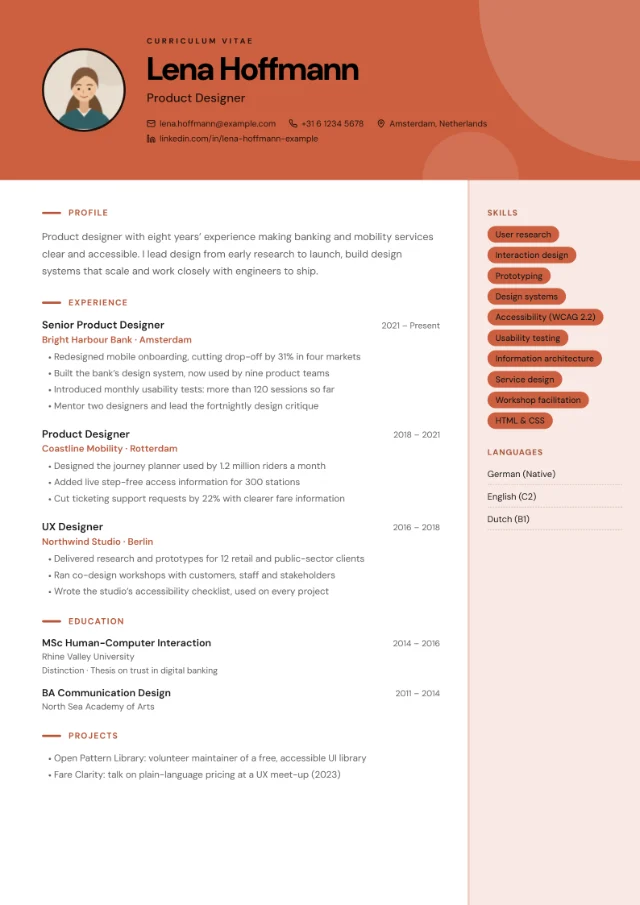 Photo slot
Creative Block
- Colour block header with geometric shapes
- Optional round photo beside your name
- Filled skill tags in a tinted side column
-
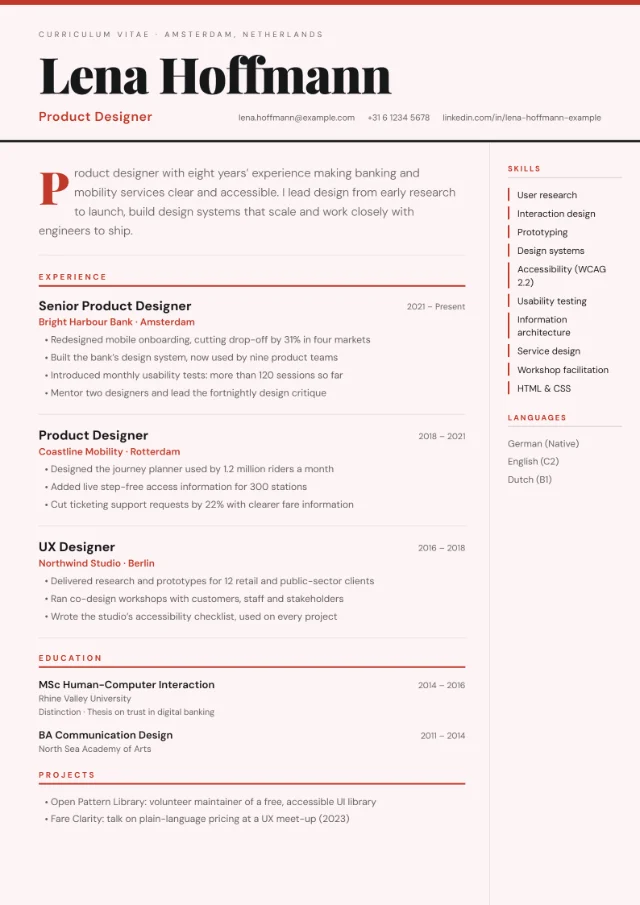
Magazine
- Huge Playfair Display name
- Pull-quote profile with a large first letter
- Strong horizontal rules between roles
-
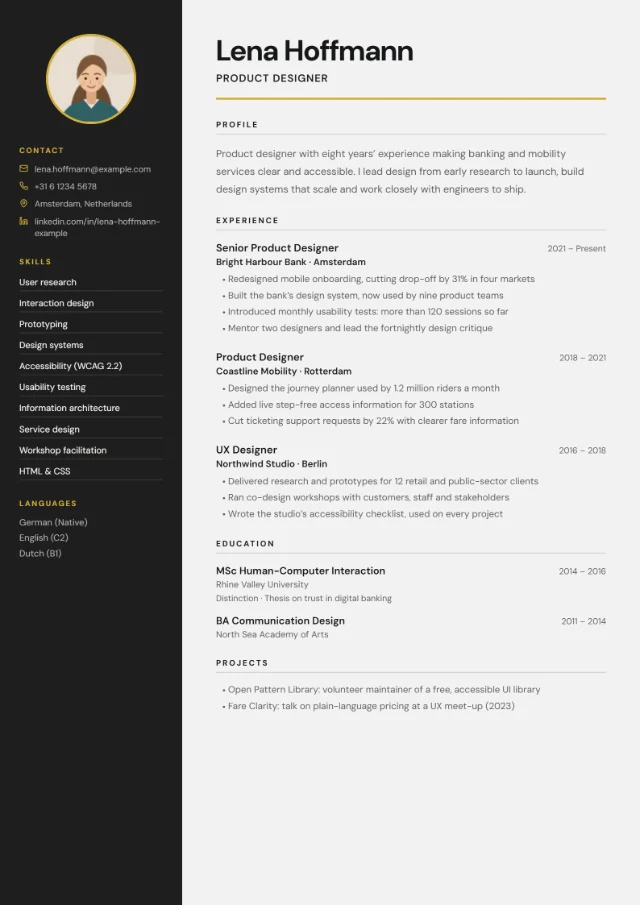 Photo slot
Split Screen
- Full-height dark panel for photo, contact details, skills and languages
- Light content area with a large name
- Strong contrast between the two halves
-
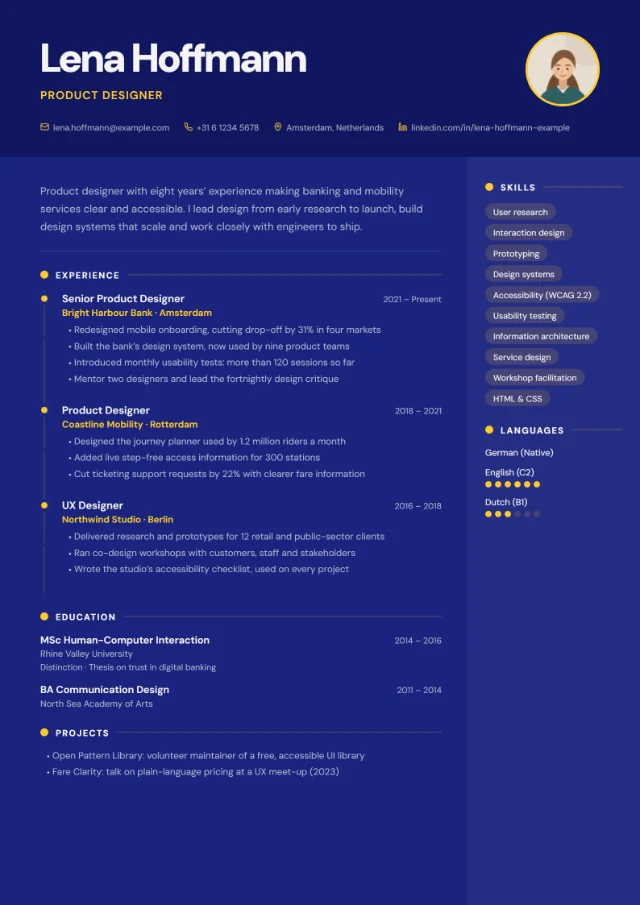 Photo slot
Infographic
- Extra-large name in a colour header
- Experience on a timeline with markers
- Skill tags
- Language-level dots when you add a CEFR level (A1–C2)
-
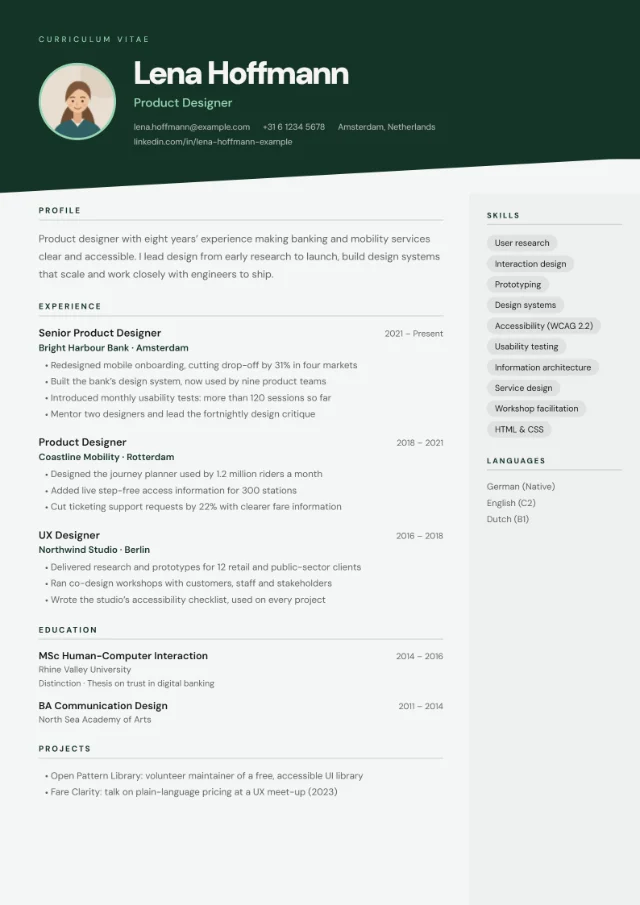 Photo slot
Badge Style
- Colour banner with a slanted bottom edge
- Optional round photo beside your name
- Light body with a tinted side column, even with dark colour schemes
-
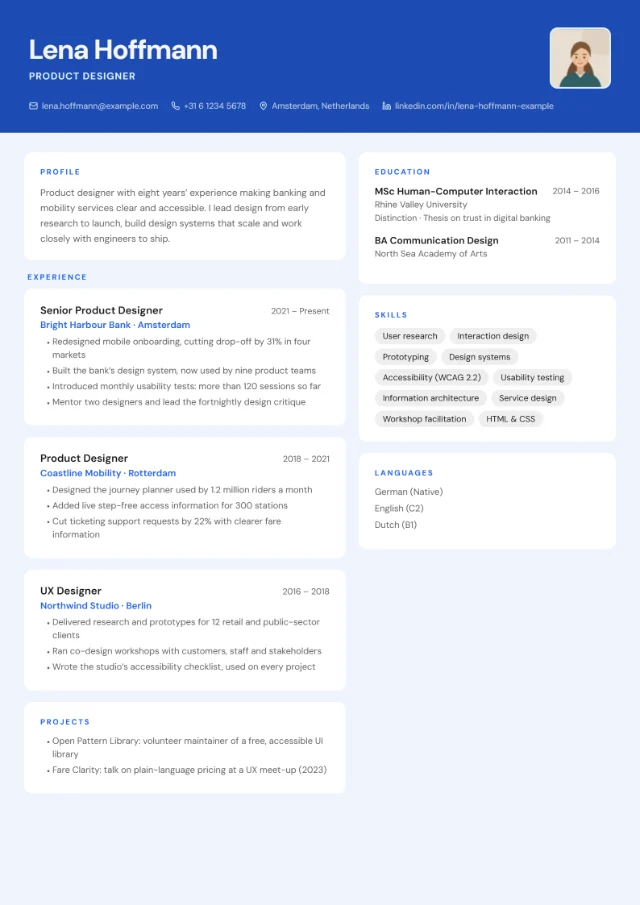 Photo slot
Card Layout
- Each section and each role in its own rounded card
- Soft shadows on a tinted background
- Two-column card grid
All 18 layouts, including the plainer ones, are compared on our CV templates page.
Pair it with a portfolio link
For most creative roles, your portfolio does the heavy lifting and your CV gets people to it. Every layout shows your website with your other contact details, alongside your email and LinkedIn, so it’s one of the first things a reader sees. In the PDF, your website, LinkedIn and email are clickable links.
- Use one link to a curated portfolio rather than a list of profiles, and put a handful of your best projects first.
- Keep the address short and readable, because people also read CVs on paper: yourname.com/work beats a long link full of tracking codes.
- Name projects in your bullet points, so the reader knows what to look for in the portfolio.
- Check the link before every application, especially if it points to a password-protected page.
- Led the rebrand for [Client], from strategy workshop to launch; case study at [yourname.com/work/client].
- Designed [X] campaign assets a month for [Brand]’s social channels, raising engagement by [X%].
Lines like these work because they describe outcomes, not just tools. Our list of CV action verbs helps you vary how each bullet starts.
Keep a plain version for portals
You don’t need to write your CV twice. In the builder’s Design tab, switch from a creative layout to a simple one and all your content comes with you: profile, roles, skills, languages and extra sections.
- Minimal Clean keeps a little design, with a quiet side column and an optional photo.
- Centred Header is the safest choice for strict portals, with everything in a single column.
Both are compared on our simple CV template page. Switching and previewing are free; you only pay when you download a PDF.
Colour schemes for creative roles
The bold family has 4 schemes with strong, saturated colours:
- Bauhaus#E8D44D#1A1A1A
- Terracotta#E07A5F#F4F1DE
- Neon#0D0D0D#39FF14
- Violet#2C0F3E#F7C948
- Terracotta: a warm orange-red with a cream accent. Creative Block’s default.
- Bauhaus: bright yellow with black accents.
- Violet: deep purple with a golden-yellow accent.
- Neon: near-black with an electric green accent.
Each creative layout’s own default is a good match too: Blush for Magazine, Charcoal for Split Screen, Cobalt for Infographic, Forest for Badge Style and Frost for Card Layout. You can try all 24 schemes with any layout.
Keep it readable
A creative CV still has to work as a CV. Before you send it:
- Check where the colour goes. Creative Block keeps your text on white whatever scheme you choose. Split Screen and Badge Style keep the body light with every scheme except Bauhaus and Terracotta. Magazine and Infographic colour the whole page. Card Layout colours the page around white cards, and with a dark scheme, Neon or Violet the cards turn dark too.
- Print a copy before an interview. Dark and saturated pages use a lot of ink and can print darker than they look on screen.
- Step back from the screen. Your name, your current role and the section headings should still stand out at arm’s length.
- Don’t let the design hide the content. If a reader has to hunt for your last job or your dates, switch to a calmer layout.
- Use language levels in Infographic. Add a CEFR level, for example “Dutch (B1)”, and the layout shows it as dots on a scale of six; a language without a level, such as “German (Native)”, appears as text. The six levels, A1 to C2, are defined by the Council of Europe.
Creative CVs and job portals
Every PDF includes real, selectable text that applicant tracking systems can read. How easily software follows the layout depends on the design:
- Usually fine for portals: Magazine, Split Screen and Badge Style.
- Best sent to a person: Creative Block, Infographic and Card Layout. They’re design-first, and some systems may read their blocks and columns in a mixed-up order.
For a large employer’s portal, the safest choice is a single-column layout such as Centred Header. Our guide to an ATS-friendly CV explains what these systems do with your file.
Similar layouts
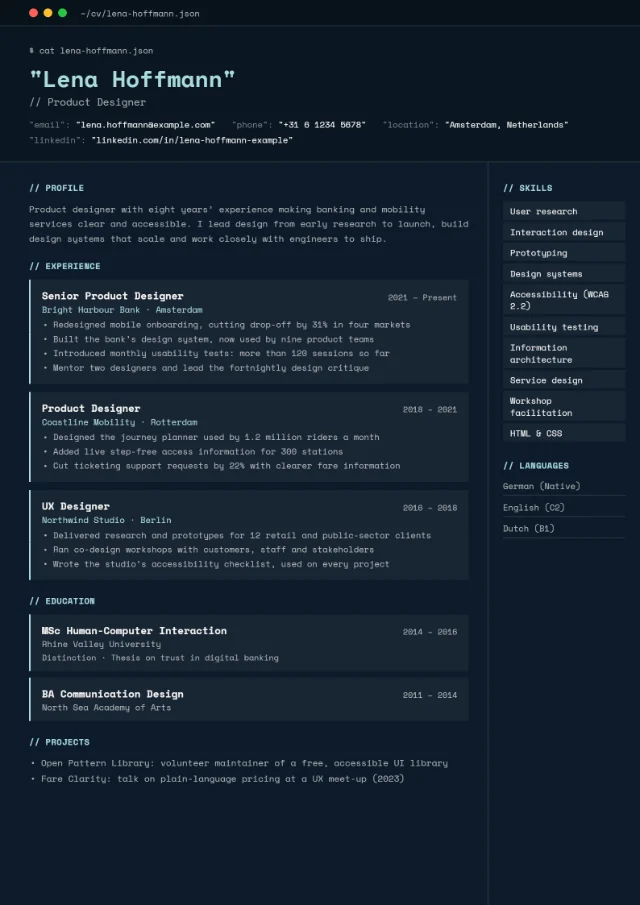
Looking for a different kind of character? Photo Header puts a large photo in a colour header, Minimal Clean adds a little design to a calm page, and Tech Terminal suits software roles. Your content carries over when you switch.
-
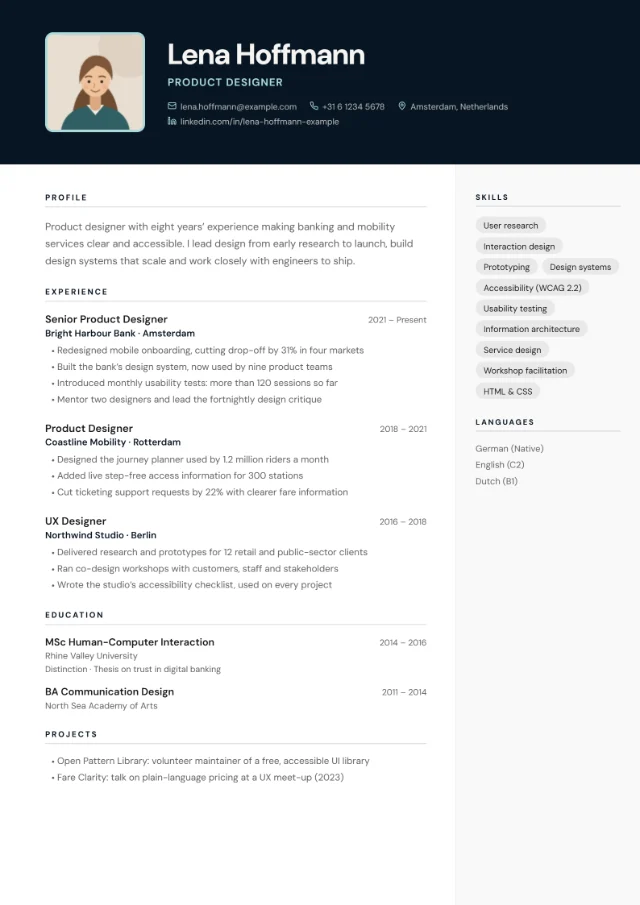 Photo slot
 -
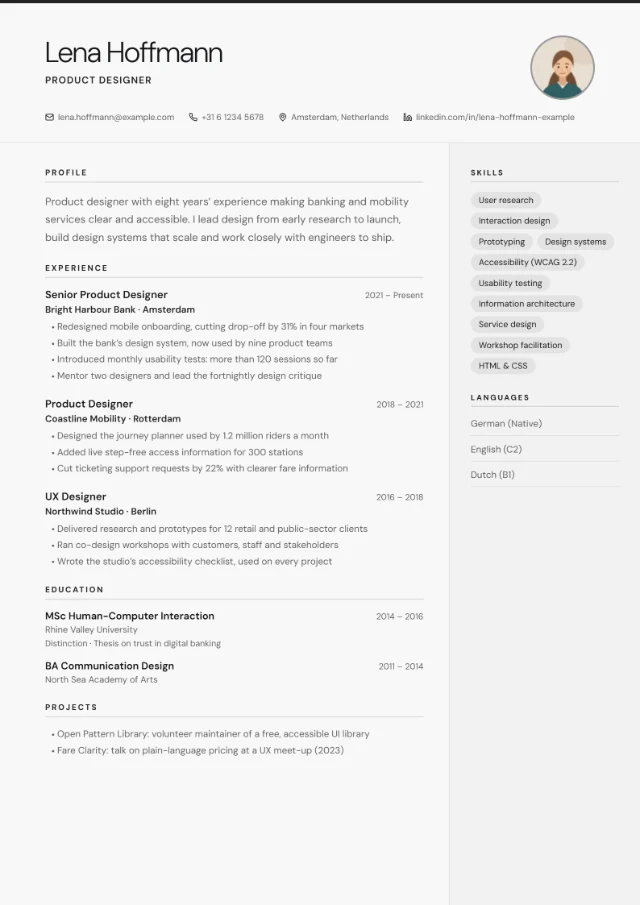 Photo slot
FAQ
Will a creative CV get through applicant tracking systems?
Nobody can promise that for every system. The text in your PDF is real and selectable, but design-first layouts are harder for software to follow. For online portals, switch to a simple layout; for people, send the creative one.
Should designers send a PDF portfolio instead of a CV?
Send both when you can. A one- or two-page CV lets the reader compare your experience quickly; the portfolio shows the work. If an advert asks for one combined PDF, follow the advert.
Can I use my own colours or fonts?
You can choose from 24 colour schemes, and change the font to DM Sans, EB Garamond, Georgia, Playfair Display, Space Mono, Arial or Times New Roman, or keep the layout’s own font. Custom colours aren’t available.
Can I add a photo to a creative CV?
Five of the six layouts here have an optional photo slot: Creative Block, Split Screen, Infographic, Badge Style and Card Layout. Magazine has none. Whether to add one depends on the country: leave it off for the UK and Ireland.
Can I switch back to a creative layout after making a plain version?
Yes. Layouts only change how your CV looks, never what it says, so you can move between them as often as you like.