
When a photo helps, and when to leave it off
Photo conventions vary more from country to country than almost anything else on a CV. This is what official guidance says for some common destinations (sources checked in October 2026):
| Country | Photo on a CV | Source |
|---|---|---|
| Germany | Not mandatory, but most employers still expect one. It goes at the top of the CV, often on the right, or on a cover sheet. | Bundesagentur für Arbeit (2026), EURES |
| Austria | Not mandatory, but common and highly advisable. | Work in Austria (Austrian Business Agency) |
| Switzerland | A CV with a photograph is part of the usual application. | EURES |
| Spain | Not compulsory, but it may be useful for some jobs. | EURES |
| Italy | Not needed unless the employer asks for one. | EURES |
| Belgium | No photo, unless the job requires one or the employer asks for it. | EURES |
| Ireland | Only if the application form asks for one. | EURES |
| United Kingdom | Not needed unless you’re applying for acting or modelling work. Leave out your age, date of birth, marital status and nationality too. | Prospects (2025), National Careers Service |
Wherever you apply, the job advert comes first: if it asks for a photo, add one; if it asks you not to, leave it off. In the UK, the Equality Act 2010 protects job applicants from discrimination because of protected characteristics such as age, race, sex and disability. A photo shows several of these at a glance, which is one reason UK CVs usually go without one.
Our guide Should you put a photo on your CV? covers more countries and the reasons behind each convention.
Layouts with a photo slot
These 10 layouts show your photo when you add one. In each, the photo fills its frame from the centre, so it never looks stretched. The previews use an illustrated avatar in place of a real photo.
-
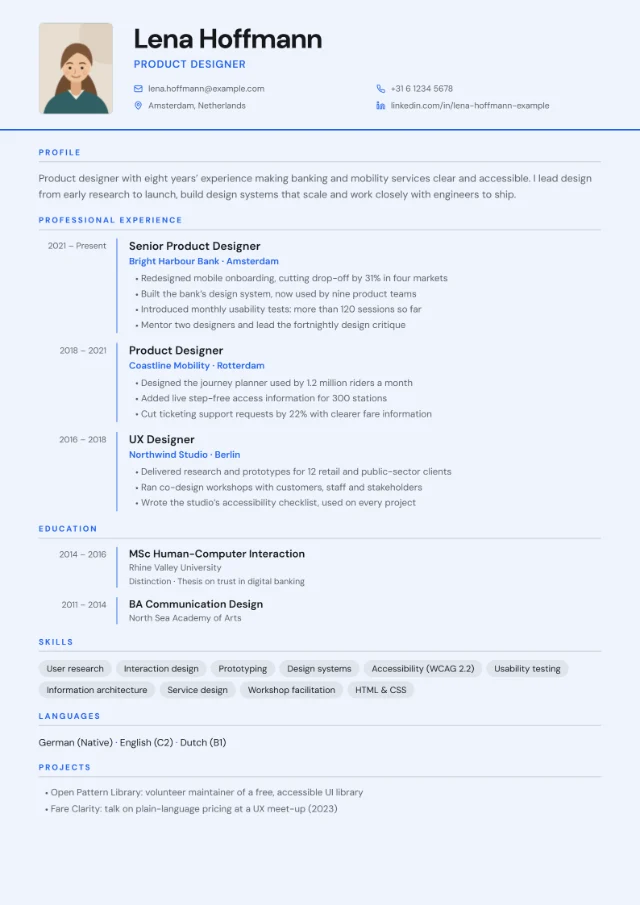 Photo slot
European Classic
- Photo slot at the top left
- Contact details plus optional date of birth, nationality, work permit and availability
- Dates column for experience and education
- Single column with skills and language skills
-
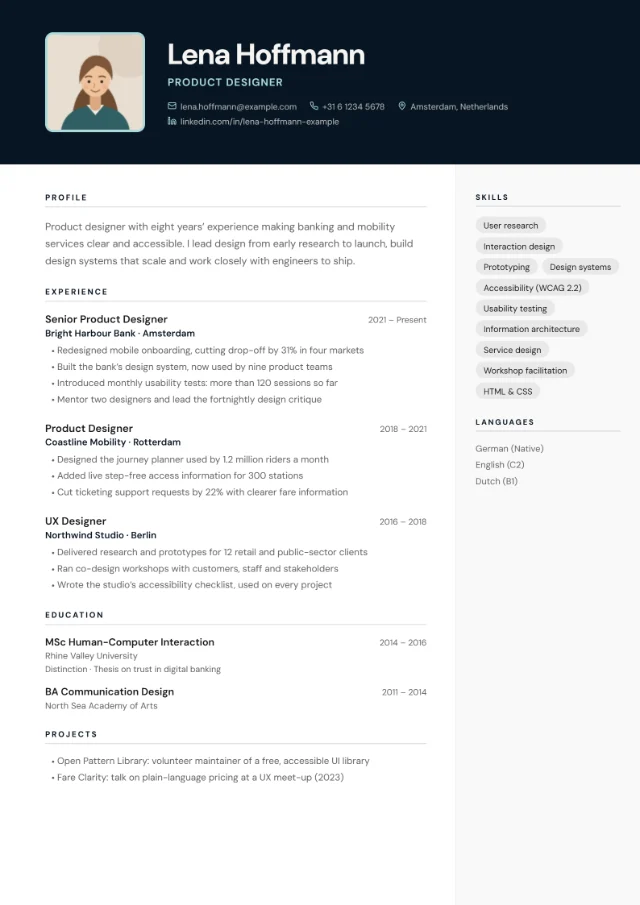 Photo slot
Photo Header
- Large photo beside your name in a colour header band
- Contact row with icons
- White main column with a light side column for skills and languages
-
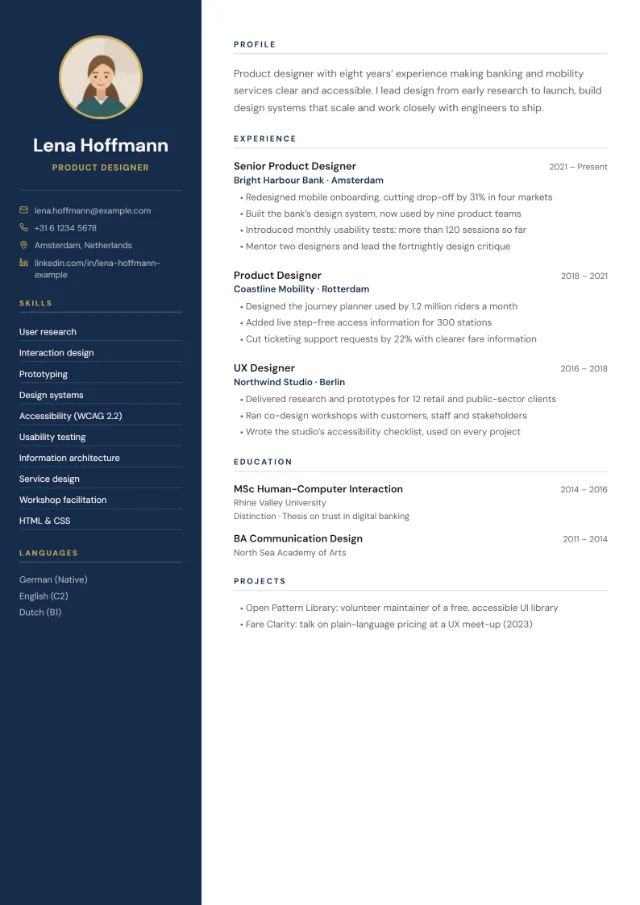 Photo slot
Sidebar Left
- Name, optional photo and contact details at the top of a colour sidebar
- Skills, languages and personal details listed in the sidebar
- Wide white column for profile, experience and education
-
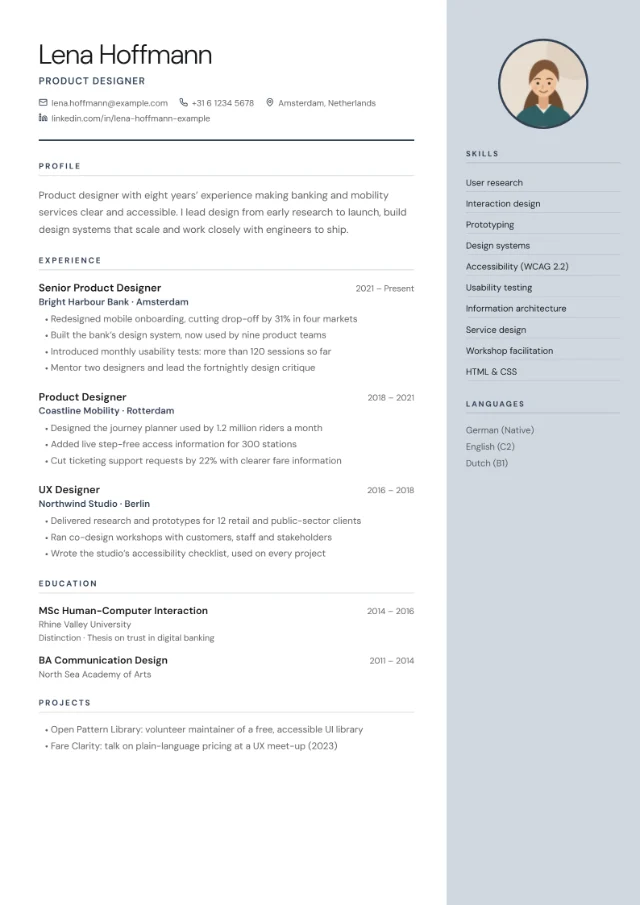 Photo slot
Sidebar Right
- Light, large name with a contact row underneath
- Wide main column for profile, experience and education
- Right-hand colour sidebar for an optional photo, skills, languages and personal details
-
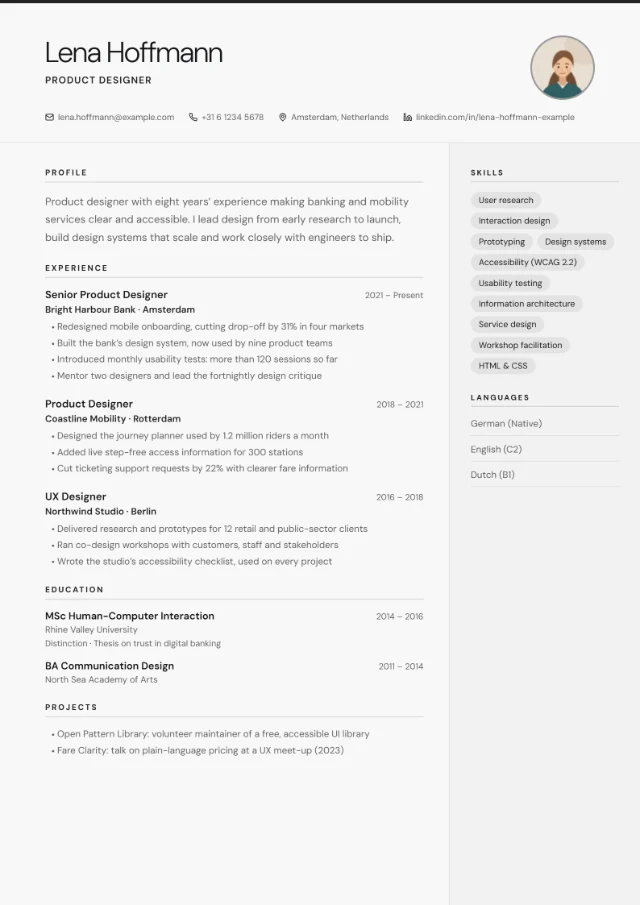 Photo slot
Minimal Clean
- Thin accent line along the top edge
- Optional round photo at the top right
- Contact row with small icons
- Skills and languages in a quiet side column
-
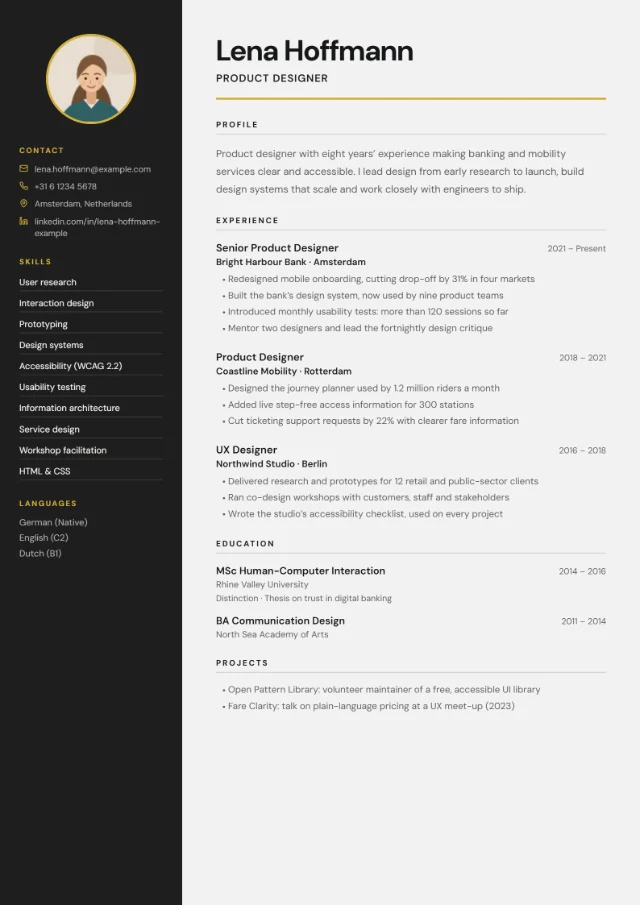 Photo slot
Split Screen
- Full-height dark panel for photo, contact details, skills and languages
- Light content area with a large name
- Strong contrast between the two halves
-
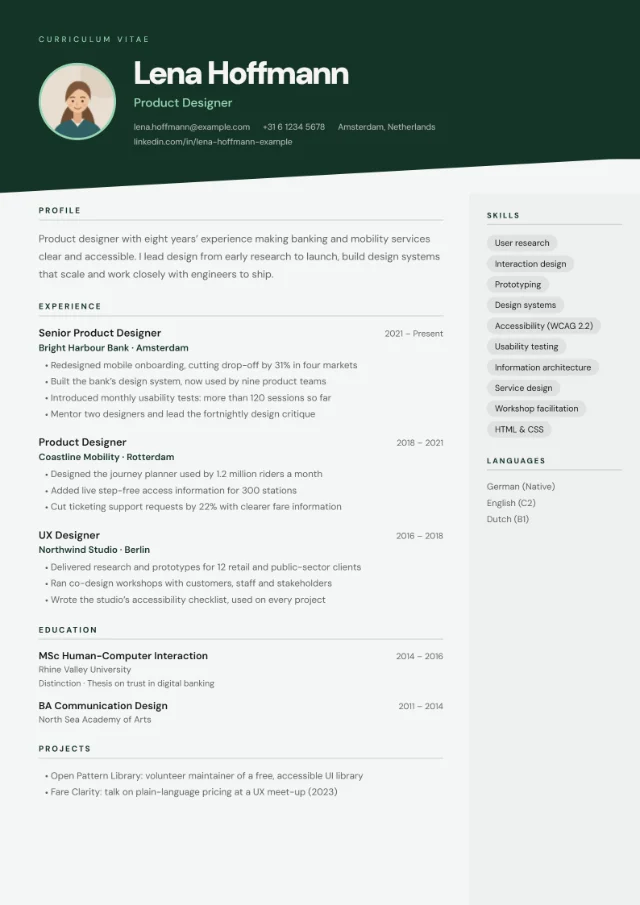 Photo slot
Badge Style
- Colour banner with a slanted bottom edge
- Optional round photo beside your name
- Light body with a tinted side column, even with dark colour schemes
-
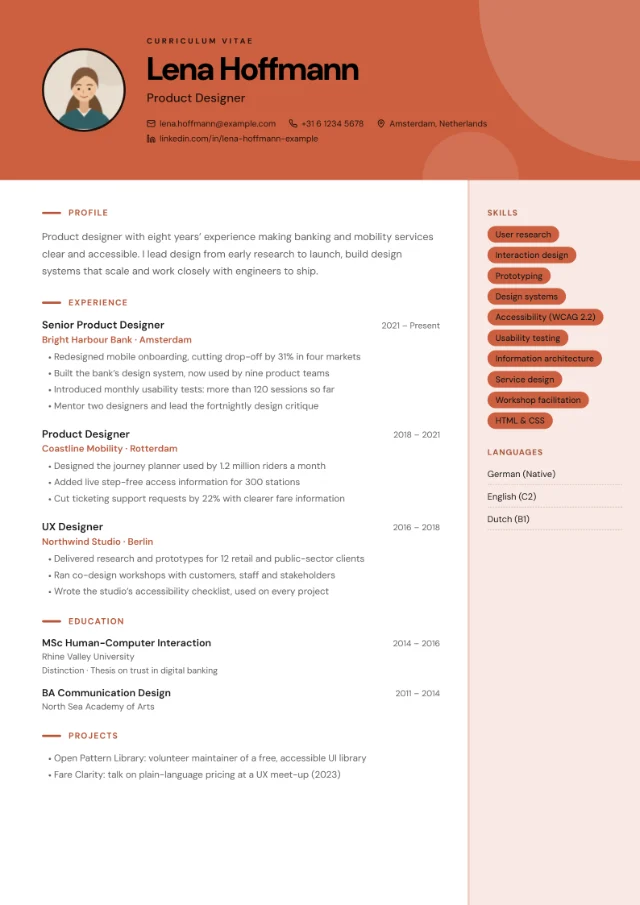 Photo slot
Creative Block
- Colour block header with geometric shapes
- Optional round photo beside your name
- Filled skill tags in a tinted side column
-
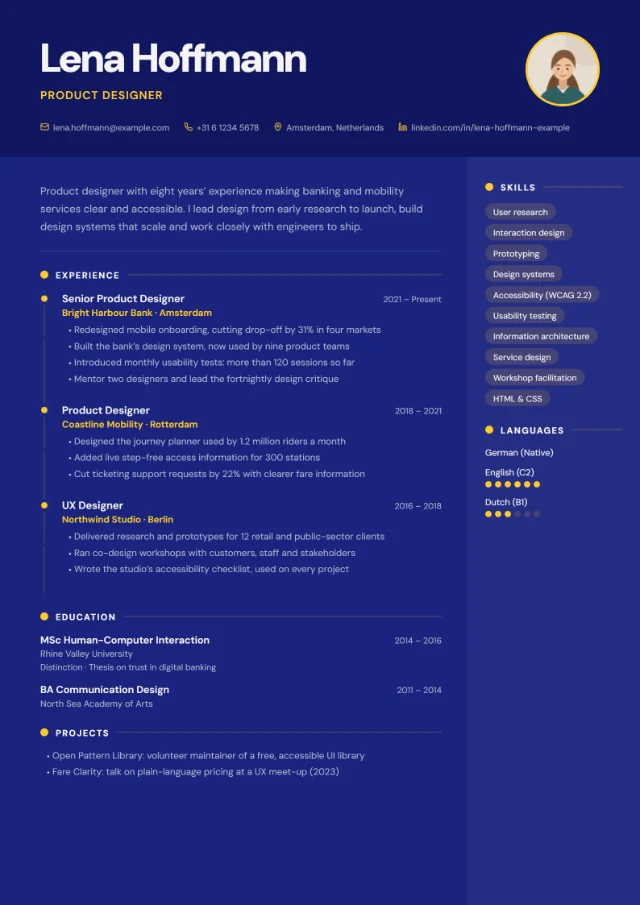 Photo slot
Infographic
- Extra-large name in a colour header
- Experience on a timeline with markers
- Skill tags
- Language-level dots when you add a CEFR level (A1–C2)
-
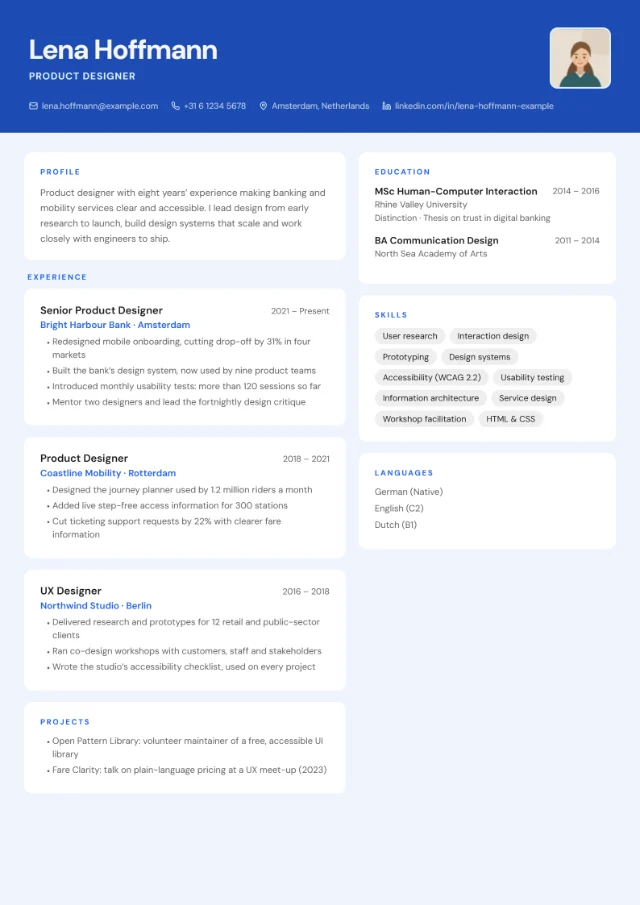 Photo slot
Card Layout
- Each section and each role in its own rounded card
- Soft shadows on a tinted background
- Two-column card grid
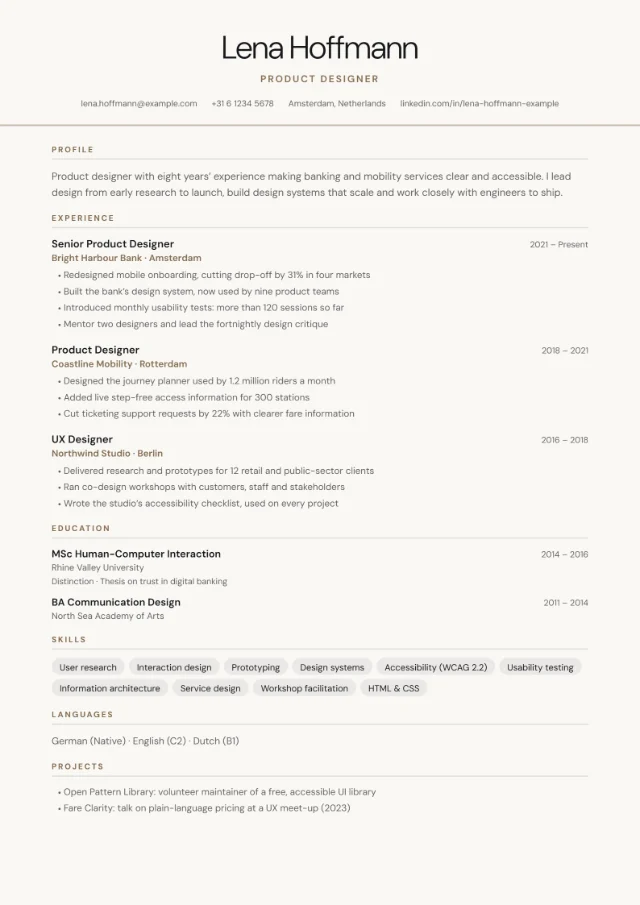
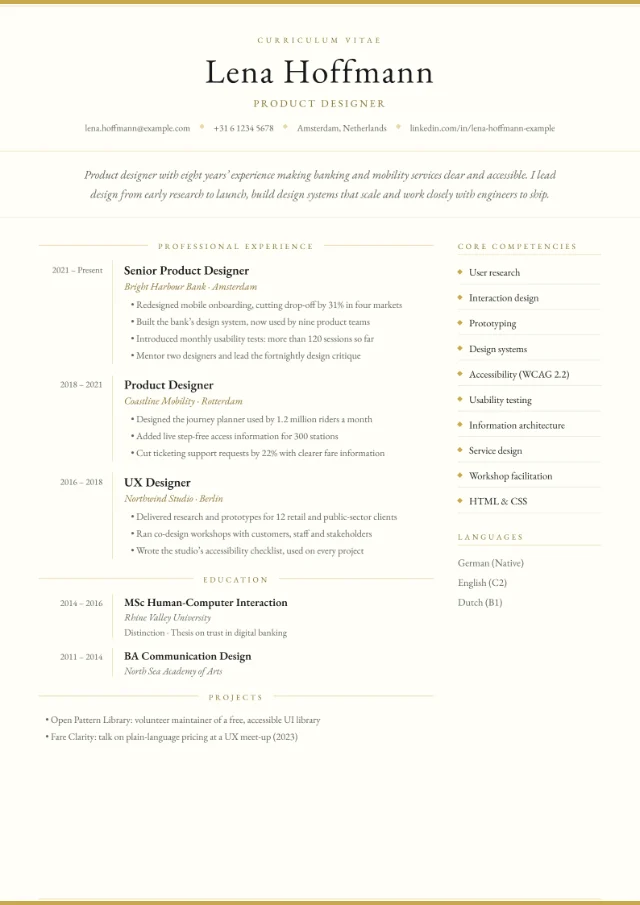
The other 8 layouts, such as Centred Header and Executive, have no photo slot. A photo you’ve added is kept in your draft but not shown in them. You can compare all 18 on our CV templates page.
Photo tips for these layouts
Match the frame
Seven layouts crop the photo into a circle: Sidebar Left, Sidebar Right, Minimal Clean, Split Screen, Badge Style, Creative Block and Infographic. Photo Header and Card Layout use a rounded square, and European Classic a portrait rectangle (about 2.4 × 3 cm when printed) with the same 4:5 shape as the 4 × 5 cm photo that Work in Austria suggests. European Classic places the photo at the top left; if you prefer the traditional top-right position, Minimal Clean has a round photo at the top right.
Because the photo fills its frame from the centre, keep your face in the middle of the picture, with some space above your head and around your shoulders. A square or portrait photo crops best; a wide landscape shot loses its edges.
Choose a photo that looks like you today
- Recent and sharp: head and shoulders, looking at the camera.
- A calm, neutral background. EURES (for Germany) and Work in Austria both recommend one.
- Soft, even light, such as daylight from a window, with no harsh shadows.
- Clothes you would wear to the interview.
- No holiday crops, group photos, sunglasses or filters.
File and size
Add a JPEG, PNG or WebP file of up to 25 MB in the Content tab. A recent phone photo is plenty: the editor scales it down to 480 pixels on its longest side and saves it as a JPEG, so there’s no need to resize it first. If your photo has a transparent background, it’s placed on white.
Colour schemes that flatter a photo
Let the colour scheme support your photo rather than compete with it. Each layout’s default is a safe start. In European Classic and Minimal Clean the scheme colours the whole page, and a light scheme such as Frost or Snow keeps the focus on your face. In Sidebar Left, Photo Header and Split Screen the photo sits on the coloured panel, where a dark scheme such as Navy, Midnight or Charcoal frames it well.
Personal details for German applications
A German Lebenslauf traditionally includes more personal information than a UK CV. The Bundesagentur für Arbeit lists your name, address and contact details, and your date and place of birth, and says marital status and religion are not required. It also suggests ending the CV with the date and your signature.
In YourCVy, the Content tab has an optional “Extra personal details” area for date of birth, nationality, work permit (printed on your CV as “Right to work”) and availability. They appear on your CV only if you fill them in, in every layout. A few tips:
- If you want to give your full address, type it into the Location field.
- The date of birth field is free text, so you can add your place of birth after the date, for example “12 March 1994 in Hamburg”.
- If you apply in German, set the section headings to German. Your CV then uses headings such as “Berufserfahrung” and “Persönliche Daten”.
- None of the layouts draws a signature line. If an employer asks for a signed CV, print and sign it, or ask whether a dated PDF is enough.
- Only include what you’re comfortable sharing. Nationality, for example, mainly matters when it affects your right to work.
For more on European conventions, including Europass, see our guide to the European CV format.
The same CV without a photo
Applying in Germany and the UK at the same time? You don’t need two CVs, just two layouts:
- Prepare your CV once, with your photo, in a photo layout such as European Classic.
- For a UK or Irish application, switch to a layout without a photo slot, such as Centred Header, or remove the photo in the Content tab. Everything else stays the same.
- Clear the extra personal details too, such as date of birth and nationality, before you download the UK version.
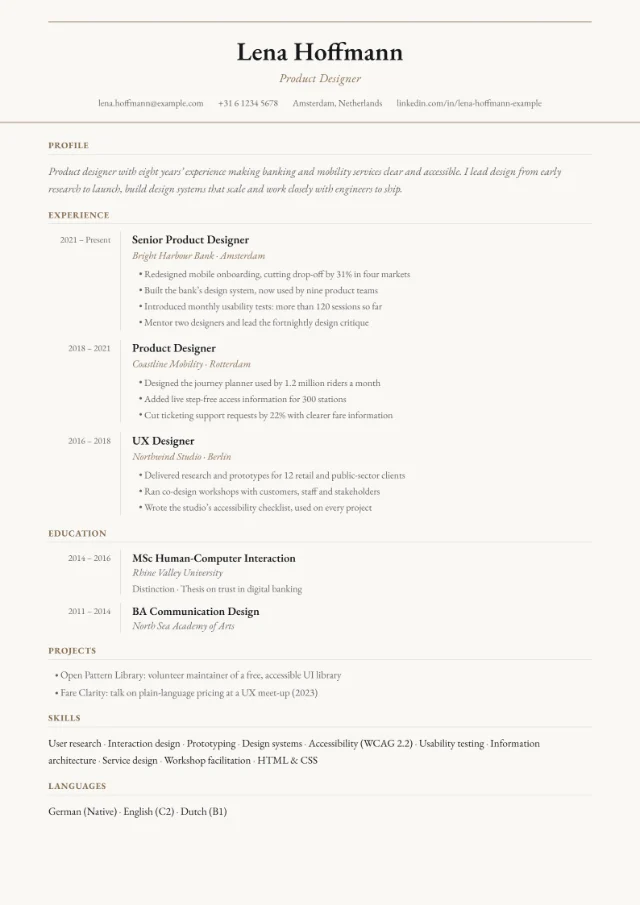
Switching layouts and previewing are free; you only pay when you download a PDF. Once you’ve paid for your CV, you can download it again, in any layout, as often as you like while the tab stays open. Our pricing page explains what a download includes. These three layouts have no photo slot and suit UK and Irish applications:
Photos and job portals
Every PDF includes real, selectable text that applicant tracking systems can read, and a photo doesn’t change that: the text and the image are separate. What matters more is the layout around the photo.
- Safest for job portals: European Classic, with everything in a single column.
- Usually fine: Sidebar Left, Sidebar Right, Minimal Clean, Photo Header, Split Screen and Badge Style.
- Best sent to a person: Creative Block, Infographic and Card Layout.
Some employers and portals ask you not to include a photo at all. If they do, switch to a layout without one. Our guide to an ATS-friendly CV explains what these systems do with your file.
FAQ
Does a photo stop applicant tracking systems reading my CV?
Not in a YourCVy PDF. The text is a separate layer from the photo, so software can still read it. For online portals, a single-column layout such as European Classic is the safest choice.
Should my CV photo be in colour or black and white?
Either works, as long as it’s sharp and well lit. Colour looks natural next to the accents in these layouts; black and white can look elegant in a light scheme such as Snow.
Can I use a selfie?
Only if it looks like a portrait: camera at eye level on a timer or a steady surface, a plain background, good light and no arm in the frame. If you can, ask someone to take it for you.
Do I need a photo for a job in Germany?
It isn’t mandatory, but the Bundesagentur für Arbeit says most employers still expect one. If the advert doesn’t say otherwise, a good, recent photo is the safer choice.